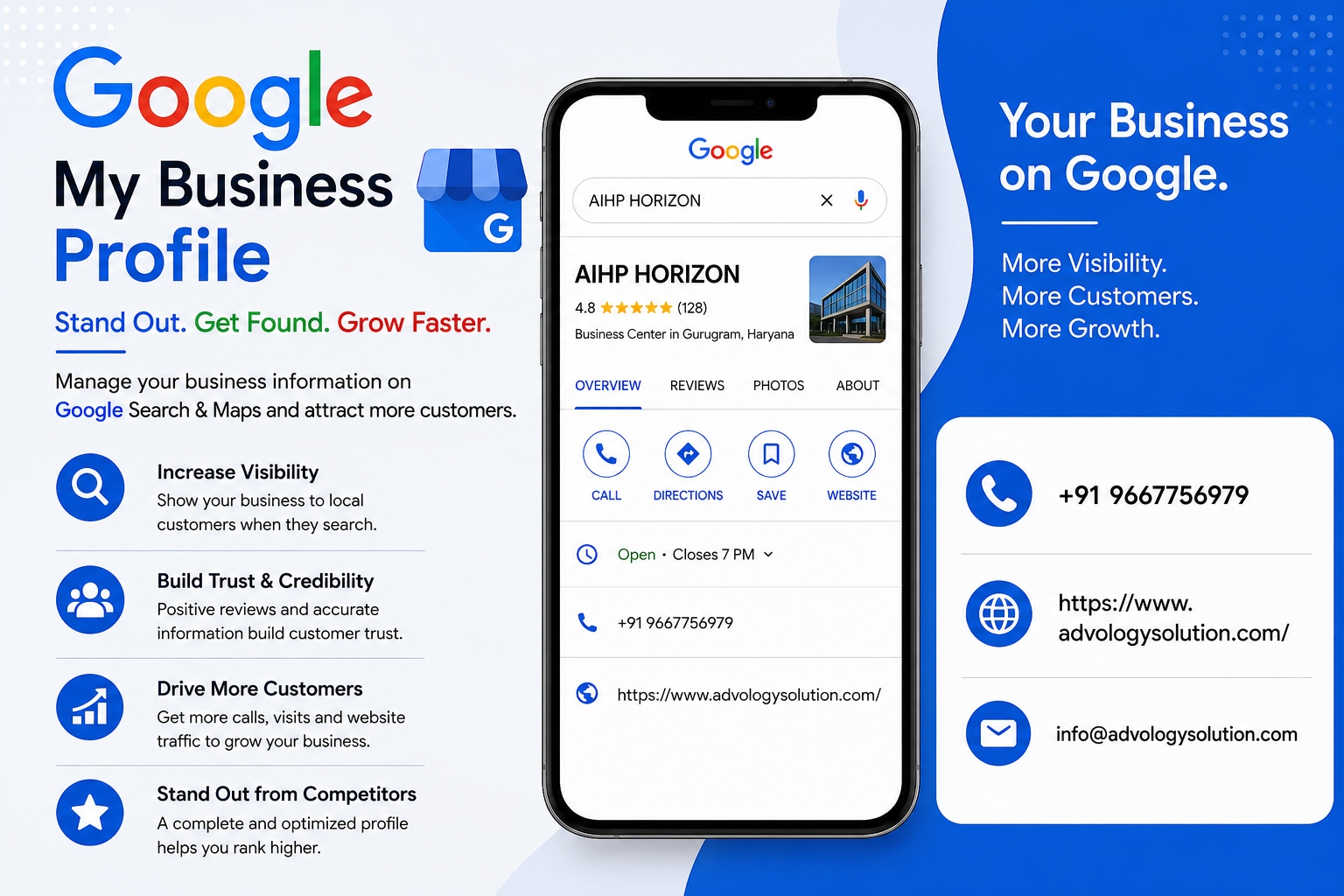
Learning How to Make Google Business Profile is an important step for businesses that want to become easier to find by local customers. A well-created Google Business Profile can help your business appear across Google Search and Google Maps, giving potential buyers quick access to essential information such as your business name, hours, location, services, photos, and customer reviews.
If you are wondering How to Make Google Business Profile and use it to connect with local buyers, the process is straightforward. Google allows eligible businesses to create or claim a Business Profile at no charge. After verification, business owners can manage important information and interact with customers through their profile.
How to Make Google Business Profile and Connect With Local Buyers
Local customers often search online before deciding where to shop, which service provider to contact, or which nearby company to visit. A complete and accurate Google Business Profile gives these customers useful information at the moment they are looking for a product or service. Instead of depending only on a website, businesses can use their profile as an additional local marketing channel.
Understand What Google Business Profile Offers
Google Business Profile is a free tool that helps eligible businesses manage how they appear on Google Search and Maps. Businesses can add information about their services, operating hours, website, phone number, photos, products, and other useful details. Depending on the business type, customers may also be able to request quotes, make bookings, place orders, or access other available features directly from the profile.
This makes the profile more than a basic online listing. It can become an important connection point between a local business and people who are actively searching for what that business provides.
Check Whether Your Business Is Eligible
Before learning how to make Google Business Profile, first determine whether your business is eligible. Google Business Profiles are designed primarily for businesses that interact with customers in person, including storefront businesses and service-area businesses that visit customers. Online-only businesses that do not meet Google's eligibility requirements generally cannot create a Business Profile.
Understanding eligibility can help prevent problems during the setup or verification process. If your company serves customers at a physical location or travels to customer locations, review Google's current eligibility requirements before proceeding.
Sign In With a Google Account
The first practical step is to sign in with a Google Account. Businesses can use an existing Google Account or create a new one for business management. If possible, use an account that will remain accessible to the business owner or authorized management team.
Keeping ownership organized is important because your Business Profile may become an important part of your local online presence. Google also provides options for adding other owners and managers, allowing authorized people to help maintain the profile.
Create or Claim Your Business Profile
Once you are signed in, search for your business on Google Search or Google Maps. If an existing unverified profile is already present, you may be able to claim it. If no profile exists, Google provides a process for adding your business.
According to Google, businesses can start by visiting the Business Profile creation page, selecting the option to add a business, entering the requested information, and following the verification instructions. If an existing profile has already been verified by another person, an authorized business representative can request ownership rather than creating a duplicate listing.
Enter Your Business Name Correctly
Your business name should accurately represent the real-world name of your company. Avoid adding unnecessary keywords, promotional phrases, or extra information simply because you believe they might improve visibility.
A consistent business name helps customers recognize your company across different platforms. It is also useful to keep your business information consistent between your website, social profiles, directories, and other legitimate online references.
Select the Most Relevant Business Category
Your primary business category helps Google understand what your company does. Select the category that most accurately describes your main business activity. You may also be able to add relevant additional categories where appropriate.
Choosing a suitable category can help connect your profile with searches related to the products or services you actually provide. Avoid selecting unrelated categories simply to reach more searches. Relevance is more valuable than adding categories that do not accurately describe your business.
Add Accurate Contact Information
Make sure your phone number, website, address, and other contact details are accurate. Customers should not have to search through multiple websites to determine how to contact your business.
Accurate information can also improve the customer experience. Someone searching for your business may want to call immediately, visit your location, check your website, or learn more about your services. Providing these details clearly makes it easier for local buyers to take the next step.
Set Your Location or Service Area
Location is particularly important for local businesses. If customers visit your physical location, provide the appropriate business address according to Google's guidelines. If you operate as a service-area business, use the available service-area options to communicate where you serve customers.
Google explains that eligible service businesses can define service areas and showcase their specialties, even when they do not operate from a traditional storefront.
Complete the Verification Process
Verification helps establish that you are authorized to manage the business profile. Google determines the verification options available for a particular business and provides instructions during the process.
Follow the verification instructions carefully and provide accurate information. Avoid creating multiple profiles for the same business when a legitimate existing profile can be claimed. Maintaining a single accurate presence can make management easier and reduce confusion for customers.
Write a Helpful Business Description
A useful business description should explain what your company offers and why customers should consider your products or services. Keep the information clear, natural, and focused on customers.
For example, a local bakery could describe its specialties, product range, and service approach. A plumbing company could explain its main services and service area. A marketing agency could mention the types of marketing solutions it provides.
Use relevant terminology naturally rather than filling the description with repeated keywords. The goal is to help customers understand your business quickly.
Add High-Quality Business Photos
Photos can make a Business Profile more informative and appealing. Consider adding a clear business logo, exterior photographs, interior images, products, completed projects, team photographs, and other authentic visuals that help customers understand what they can expect.
Google highlights photos as an important way for businesses to personalize their profiles and show customers what makes them unique. :
Keep your images current. If your storefront, products, branding, or services change significantly, update the photographs so that customers receive an accurate impression of your business.
Add Your Products and Services
One of the most useful ways to connect with local buyers is to clearly explain what you sell. Depending on your business type and available profile features, you can showcase products or list services.
Instead of using vague descriptions, provide specific and useful information. For products, consider adding clear names and descriptions. For services, explain what the service includes and who it is designed for.
This information can help a customer determine whether your business can meet their needs before they contact you.
Keep Business Hours Updated
Incorrect business hours can quickly create a poor customer experience. If a customer arrives after seeing outdated information, they may choose another business the next time they need the same product or service.
Review your regular hours and update special or holiday hours when necessary. Google specifically encourages businesses to keep important information such as hours and contact information current.
Encourage Genuine Customer Reviews
Customer reviews can influence how people evaluate a local business. Encourage satisfied customers to leave honest feedback about their experience. Do not pressure customers to provide a particular rating or create misleading reviews.
When customers leave reviews, respond professionally. Thank customers for positive feedback and respond thoughtfully to legitimate concerns. Google confirms that business owners can respond to reviews, with owner responses appearing beneath the customer's review on Google Search and Maps.
Use Google Business Profile Updates
A Business Profile should not be treated as something you create once and forget. Regular updates can help customers discover current information about your business.
You can use available profile features to share announcements, offers, events, new products, services, or other relevant updates. Google specifically promotes posts and updates as ways businesses can keep customers informed.
Keep your updates useful rather than publishing repetitive promotional messages. Think about what information would help a local buyer make a decision.
Make It Easy for Local Buyers to Contact You
The best profile is one that makes the next step simple. Depending on your business and available features, customers may be able to call, visit your website, request a quote, make an appointment, or use another available action.
Google provides features that can help service businesses receive quote requests and enable booking options.
Review your profile from a customer's perspective. Ask yourself whether someone who has never heard of your company can quickly understand what you offer, where you operate, when you are available, and how to contact you.
Maintain Consistent Business Information
Consistency is an important part of local online marketing. Your business name, address, phone number, website, and other key details should be accurate wherever your business is represented online.
Check your website and important business directories periodically. If your address, phone number, opening hours, or services change, update your Google Business Profile and other relevant online properties.
Monitor Your Profile Performance
Google provides performance insights that can help businesses understand how customers discover and interact with their Business Profile. Depending on the available reporting features, you may gain information about searches, calls, bookings, and other customer interactions.
Use this information to identify opportunities. If customers frequently discover your business through a particular service, make sure that service is clearly represented. If customers are viewing your profile but not contacting you, review your photos, descriptions, services, hours, and calls to action.
Avoid Common Google Business Profile Mistakes
Several simple mistakes can reduce the effectiveness of a profile. These include providing incorrect information, creating duplicate listings, choosing irrelevant categories, ignoring customer reviews, using outdated photographs, and failing to update business hours.
Another common mistake is expecting immediate results without maintaining the profile. Local visibility is influenced by many factors, and creating a profile is only the first step. Businesses should focus on providing accurate information and creating a trustworthy experience for customers.
Build Trust With Local Buyers
Local buyers want confidence before contacting or visiting a business. A complete profile can support that confidence by showing genuine photographs, accurate information, customer reviews, useful services, and clear contact options.
Think of your Google Business Profile as a digital storefront. Your physical location may have signs, product displays, staff, opening hours, and customer service. Your online profile should provide a similar level of clarity.
Connect Your Google Business Profile With Your Website
Your Google Business Profile and website can support each other. Make sure the website linked from your profile provides consistent business information and gives visitors useful details about your products or services.
Google also recommends establishing your official website and business details so that users can more easily recognize and reach the information associated with your business.
Consider creating location-specific website content where appropriate. Service pages, contact information, product pages, and useful local content can give potential customers more information after they discover your business through Google.
Why Local Buyers Prefer Complete Profiles
Imagine someone searching for a service in their area. They may compare several businesses within minutes. A profile with missing information can make the decision harder, while a complete profile can answer common questions immediately.
Customers may want to know whether you are open, where you are located, what services you provide, whether other customers recommend you, and how they can contact you. A well-maintained profile puts much of this information in one convenient place.
Turn Google Searches Into Customer Relationships
The purpose of learning how to make Google Business Profile should not be limited to gaining visibility. The bigger goal is to create meaningful connections with people who are looking for your business category in your service area.
Respond to questions when appropriate, maintain accurate information, answer reviews professionally, add useful updates, and continue improving the customer experience. These activities can make your profile more helpful over time.
Final Thoughts
Learning how to make Google Business Profile is a practical step for businesses that want to connect with local buyers through Google Search and Maps. From creating or claiming the profile to verifying the business, adding accurate information, uploading photos, listing services, managing reviews, and monitoring performance, each step contributes to a stronger local presence.
Google provides Business Profiles at no charge for eligible businesses, making them an accessible tool for local visibility. However, creating the profile is only the beginning. Consistent updates, accurate information, genuine customer engagement, and useful content can help turn local searches into meaningful customer interactions.
When your profile clearly communicates who you are, what you offer, where you serve, and how customers can reach you, local buyers have more information to make confident decisions. By treating your Google Business Profile as an active part of your local marketing strategy, you can create a stronger connection between your business and the customers searching for your products or services.