
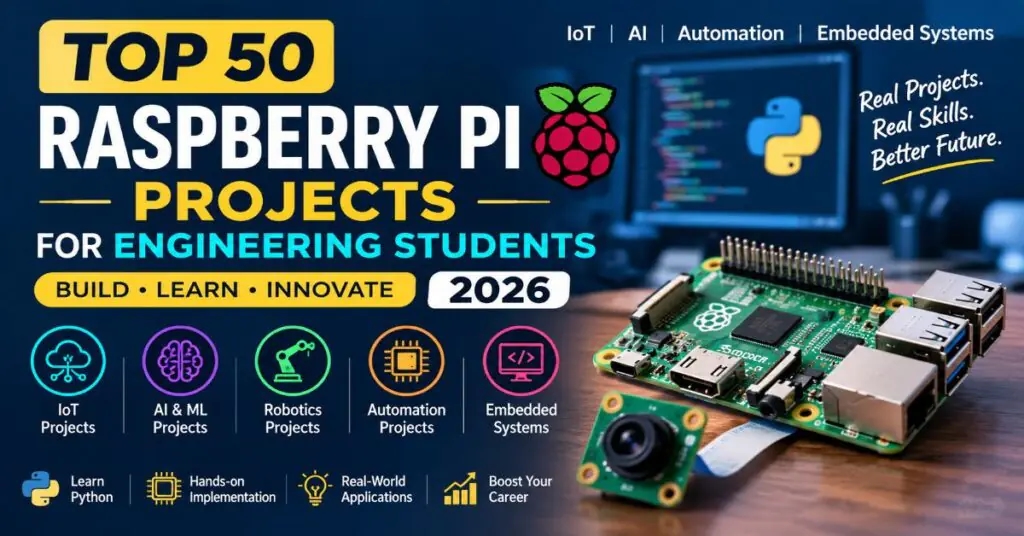
Most students pick a capstone topic in a hurry and regret it halfway through the semester. This list gathers fifty of the best Raspberry Pi projects for engineering students in 2026, each explained the way a senior would explain it to a junior: what you build, what you measure, and what you can talk about in your viva.
Electronics students will notice that many entries also work as major projects for ECE final year students, because they involve sensors, wireless links, and signal processing. These Raspberry Pi projects for engineering students use parts you can buy locally and software you can learn in a few weeks. Change a sensor, swap a dataset, or merge two ideas, and the project becomes yours.
Smart Home Raspberry Pi Projects for Engineering Students
Smart Home Hub with Home Assistant: Install Home Assistant on the Pi and connect lights, plugs, and sensors over Zigbee or Wi-Fi. Build automations, such as switching on a fan when the room heats up. Add a wall tablet dashboard and document how you handled pairing and network reliability.
Voice-Controlled Assistant: Run an offline speech engine so the Pi responds to commands without sending audio to the cloud. Control relays, play music, and read sensor values aloud. Measure recognition accuracy in noisy rooms, because that comparison gives your report honest numbers.
Smart Mirror Dashboard: Mount the Pi behind a two-way mirror and show the time, weather, calendar items, and sensor readings. Add gesture or voice input for hands-free use. The build teaches API integration and interface design, and it always draws a crowd during demonstrations.
Energy Usage Monitor: Clamp-on current sensors and an ADC board read each circuit, and the Pi graphs consumption in Grafana. Add standby alerts and monthly bill estimates. Calibrating against a commercial meter makes your measurements believable and your conclusions easy to defend.
Smart Door Lock: Pair a servo or solenoid lock with a keypad, RFID reader, and camera. Every entry is logged with a photo and timestamp, and guests receive temporary codes. Explain how you handle replay attacks and power failure, since examiners enjoy security thinking.
Plant Watering System: Soil moisture probes decide when a small pump runs, and the Pi logs moisture, light, and temperature. A web page shows each plant’s history. Compare healthy growth against a manually watered plant for a simple, convincing experiment.
Air Quality Station: Connect particulate, carbon dioxide, and humidity sensors, then show colour-coded readings on a small display and a web dashboard. Trigger a fan when levels rise. Place two stations in different rooms and compare results to give your analysis real substance.
Pet Feeder with Camera: A motorised dispenser releases measured portions on schedule while a camera streams to your phone. Add portion logging and low-food alerts. It is playful and easy to demonstrate, and it covers motor control, scheduling, and video streaming in one project.
Smart Doorbell with Visitor Log: A button, camera, and speaker create a doorbell that pushes snapshots to your phone and records visitors. Add motion detection for night use. Keeping images stored locally is a good privacy decision that you can defend confidently in your viva.
Computer Vision Raspberry Pi Projects for Engineering Students
Face Recognition Attendance: Train a recognition model on enrolled students and mark attendance when faces appear at the classroom door. Store records in a database and export weekly sheets. Test with masks, glasses, and poor light, then report where accuracy drops.
Number Plate Reader: Detect vehicles at a gate, crop the plate, and read it with OCR. Log entries and exits for a parking area. Lighting, angle, and motion blur are the hard parts, so document your fixes with before-and-after examples.
Object Detection Camera: Run a lightweight model such as MobileNet or YOLO on the Pi and label objects in a live video stream. Compare frame rates with and without an accelerator board. The speed versus accuracy comparison makes an excellent results chapter.
Driver Drowsiness Detector: Track eye closure and head tilt with a camera and sound an alarm when fatigue signs appear. Run everything on the Pi to keep latency low. Test with spectacles and different lighting, because that is where most prototypes quietly fail.
Hand Gesture Controller: Recognise hand signs through the camera and use them to control volume, slides, or a robot. Landmark detection libraries make the start easy. The difficulty lies in robustness, so test with different backgrounds, skin tones, and distances.
Crop Leaf Disease Scanner: A camera captures leaf photos, and a trained classifier names the likely disease and suggests treatment. Use a public plant dataset, then validate with leaves you photograph yourself. Showing the gap between the two is an honest and valuable finding.
People Counter for Entrances: A camera or pair of sensors counts people entering and leaving a room and displays live occupancy. Alerts fire when a limit is passed. Directional counting is the tricky part and a good place to show original thinking.
Sign Language Translator: Capture hand shapes, classify them into letters or words, and speak the result aloud. Even a small vocabulary works well when accuracy is solid. Test with several signers, since personal style affects results more than most people expect.
Wildlife Trail Camera: A motion-triggered camera captures animals, and a classifier sorts images by species while discarding empty frames. Solar power and weatherproofing turn it into a proper field system. Battery life tests become a useful engineering section.
Robotics Raspberry Pi Projects for Engineering Students
Line Following Robot with Camera: Use camera-based lane detection instead of simple infrared sensors so the robot handles curves and junctions smoothly. Tune a PID controller and plot the error over time. The graphs are a lovely demonstration of control theory in action.
Obstacle Avoiding Rover: Ultrasonic sensors and a motor driver let a four-wheeled rover steer around obstacles. Add mapping with a simple occupancy grid. Compare reactive avoidance against planned paths to show that you understand the trade-offs.
Robotic Arm with Vision Pickup: A small arm detects coloured objects through a camera and moves them into bins. Inverse kinematics converts positions into joint angles. Calibration between camera and arm is the real challenge and deserves a thorough write-up.
Self-Balancing Robot: An IMU and a PID loop keep a two-wheeled robot upright. Tuning the gains teaches control more vividly than any textbook. Record step responses and disturbance tests, then show how changing parameters affects stability.
Autonomous Delivery Cart: A small cart follows GPS waypoints or visual markers along a campus corridor and stops for people. Add a lockable compartment opened by a code. It combines navigation, safety, and user interaction in a memorable demo.
Drone Companion Computer: A flight controller flies the drone while the Pi handles vision tasks such as landing pad detection. The two talk over MAVLink. Begin with simulated flights and keep your safety checks thoroughly documented.
Robot Vacuum Prototype: A compact base with bumper sensors and a mapping routine covers a room systematically. Compare coverage patterns, such as spiral and zigzag, using photographed dust trails. The experiment makes an unusual and relatable results section.
Voice-Guided Robot Companion: A small robot answers spoken questions, follows its owner using sensors, and shows expressions on a screen. Elderly care is a natural application. Test with real volunteers to gather feedback you can report honestly.
Networking and Security Raspberry Pi Projects for Engineering Students
Network-Wide Ad Blocker: Install Pi-hole so every device on your network loses ads and trackers at the DNS level. Show statistics on blocked requests. Measure page load times before and after, which gives you tidy numbers for a short but effective project.
Home VPN Server: Set up WireGuard so you can reach your home network securely from anywhere. Test speed and phone battery impact. Explain key management clearly, because that detail separates a careful build from a copied tutorial.
Intrusion Detection Sensor: Run Suricata or Snort on the Pi to watch traffic and flag scans or odd transfers. Build a dashboard with alert counts by type. Generate safe test attacks on your own network to prove that detection works.
Honeypot Monitor: A decoy service attracts automated attacks, and the Pi records addresses, passwords tried, and commands run. Summarise findings in weekly reports. Keep it isolated from your real devices and explain that precaution in your documentation.
Rogue Access Point Detector: Scan nearby networks, record signal strength, and flag impostors that copy a trusted network name. Plot channel congestion across a floor. It is useful for campuses and a neat way to practise wireless fundamentals.
Packet Sniffer with Live Dashboard: Capture traffic, decode common protocols, and show bandwidth per device in real time. Filters help isolate problems. It turns abstract networking theory into something you can watch and explain during a demonstration.
Secure Private Cloud Server: Build a file server with encrypted storage, user accounts, and automatic backups. Test restore procedures, not just backups, since that is what really matters. Compare transfer speeds over Wi-Fi and Ethernet in your results.
Captive Portal Guest Network: Create a separate guest Wi-Fi that asks visitors to accept terms before connecting, with bandwidth limits and time-outs. Isolating guests from your main devices shows practical network design and security awareness.
IoT and Energy Raspberry Pi Projects for Engineering Students
Solar Panel Monitoring Station: Voltage, current, temperature, and light sensors report panel performance to a cloud dashboard. Alerts flag sudden drops that suggest dirt or faults. Compare output against theoretical estimates to quantify your system’s real efficiency.
Weather Station with Forecasting: Gather temperature, pressure, humidity, wind, and rainfall, then train a simple model to predict the next few hours. Publish the data online. Calibration and sensor placement make strong discussion points for your report.
LoRa Sensor Gateway: The Pi receives packets from remote LoRa nodes in fields or buildings and forwards them to a server. Test range in urban and open areas. Real range is rarely what datasheets promise, which makes your findings interesting.
MQTT Data Logger: Collect readings from several sensors through an MQTT broker, store them in a time-series database, and visualise them. Practise handling dropped connections and duplicate messages, which is where real systems tend to struggle.
Smart Greenhouse Controller: Sensors drive fans, misters, and lights to keep conditions steady while the Pi logs everything. Try simple rules first, then compare a learning controller. The experiment shows whether added complexity actually improves results.
Predictive Maintenance Node: Vibration and current sensors attach to a small motor, and a model learns normal behaviour to flag early faults. Create faults deliberately on a test rig to gather authentic data, which impresses examiners more than borrowed datasets.
EV Charging Controller Demo: Simulate a charging point that schedules sessions, balances load, and tracks energy used through a web app. Peak-hour pricing adds a nice twist. It links power electronics ideas with software and communication.
Smart Water Tank Monitor: Level and quality sensors report to a phone, and a pump switches automatically to prevent overflow. Alerts warn when turbidity or pH drifts. Households and apartment blocks both benefit, so the value is easy to explain.
Indoor Navigation Beacons: Bluetooth beacons placed through a building let the Pi estimate a person’s position from signal strength. Accuracy studies by room show where the method works. Signals are noisier than most students expect, so measure carefully.
Media, Lab Tools and Learning Raspberry Pi Projects for Engineering Students
Retro Gaming Console: Install an emulation system, wire a case with buttons and a screen, and tune the controls for comfortable play. Measure input latency to see how your build compares. It is fun, yet it still teaches hardware assembly and Linux configuration.
Home Media Server: Stream movies, music, and photos to devices around the house using Jellyfin or Plex. Add transcoding tests and storage planning. A tidy comparison of file formats and playback performance makes your report look thoughtful.
Time-Lapse Camera Rig: A motorised slider and camera capture smooth time-lapse sequences, with exposure adjusted automatically as daylight changes. Motion control and scheduling are the core skills. The finished videos are lovely to present.
Oscilloscope and Logic Analyzer: Use an ADC board and software to capture and display signals. Compare your measurements with a laboratory oscilloscope and note the bandwidth limits honestly. It is a handy tool you will reuse in later semesters.
Software-Defined Radio Receiver: Connect an inexpensive SDR dongle and decode FM broadcasts, weather satellite images, or aircraft signals. Spectrum plots make signal processing tangible. It stretches your RF understanding while staying within a modest budget.
E-Ink Information Display: A low-power e-paper screen shows timetables, notices, or sensor readings that refresh every few minutes. Battery life can reach months if you design sleep cycles well. Measuring power draw is the main engineering challenge.
Programming Learning Kit for Kids: Combine buttons, LEDs, and a screen with simple lessons that teach loops and conditions. Test with real children and revise the lessons accordingly. Teaching others exposes the gaps in your own understanding very quickly.
How to Choose from These Raspberry Pi Projects for Engineering Students
Start with an honest look at your skills, budget, and how often your mentor is free. A modest system that works beats a grand one that never leaves the breadboard. When comparing Raspberry Pi projects for engineering students, check sensor cost, camera and accelerator needs, and whether you can test the result with real people or equipment.
Put numbers into your goals, such as response time, accuracy, power draw, or money saved. Split the year into research, build, test, and report phases, and film a two-minute demo early. Presentation often decides how examiners remember your work.
Related Projects: Major Projects for ECE Final Year Students
If none of the fifty clicked, these related ideas pair well with them. Many of the projects above grow naturally into one of these with extra RF or signal processing work, and they work as major projects for ECE final year students:
FPGA-based image processing accelerator connected to a Pi
Visible light communication link between two boards
Smart antenna array with simple beam steering
LoRa mesh network for remote village sensors
Keyword spotting on a microcontroller using tiny machine learning
Software-defined radio spectrum monitor
RF energy harvesting for low-power sensor nodes
Wireless power transfer demo with efficiency measurements
Sine wave inverter with a remote monitoring interface
Bluetooth mesh asset tracker for hospitals or warehouses
FAQs on Raspberry Pi Projects for Engineering Students
Q1. What are the best Raspberry Pi projects for engineering students?
The best one is the project you can finish, test, and explain. Energy monitors, vision systems, robots, and network tools are popular because parts are affordable and results are easy to measure.
Q2. Which Pi model should I buy?
A Pi 4 or Pi 5 suits vision, media, and server work. A Zero 2 W is enough for small sensor nodes and compact builds where size and power matter more than speed.
Q3. How much does a Raspberry Pi projects cost?
Most builds need a few thousand rupees for the board, power supply, and storage, plus extra for cameras, sensors, and motors. Software-only projects such as network tools cost very little beyond the board.
Q4. Can I finish one in a single semester?
Yes, if you keep the scope small. Monitors, dashboards, and simple rovers are manageable, while drones, custom robots, and multi-node networks usually need more time.
Q5. Which languages should I learn for Raspberry Pi projects?
Python covers almost everything here. C or C++ helps with timing-critical work, and basic Linux command-line skills will save you hours of frustration.
Q6. Do I need extra hardware for Raspberry Pi projects?
Usually yes. The Pi has no analog inputs, so sensors often need an ADC board, and motors need a driver. Cameras, relays, and a decent power supply round out most builds.
Q7. How do I make my project stand out?
Collect real data, compare against a baseline, and report honest limitations. Clean circuit diagrams, a tidy repository, and a short demo video leave a strong impression.
Q8. Should I use a Pi, an Arduino, or an ESP32?
Use a Pi when you need an operating system, a camera, heavy processing, or networking. Choose Arduino or ESP32 for simple, low-power, real-time sensing, or combine them with the Pi as the brain.
Q9. Which are the best major projects for ECE final year students?
Projects with sensing, signal processing, and wireless communication fit best. Software-defined radio, LoRa networks, smart meters, and edge AI nodes are strong choices.
Q10. What mistakes should I avoid for Raspberry Pi projects?
Avoid buying parts before finalising the design, ignoring power supply problems, and leaving documentation to the last week. Test early, log failures, and keep a notebook of what you tried.
Conclusion
Good projects start with a real problem, not a shopping list. Pick something you care about, whether it is saving water, protecting a network, or helping a grandparent. That motivation shows during a viva more than any component list.
If you study electronics, choose one of the major projects for ECE final year students from the related list, add one measurable result, and keep honest notes about what failed. Treat these Raspberry Pi projects for engineering students as seeds rather than templates, and build something that feels like yours.