
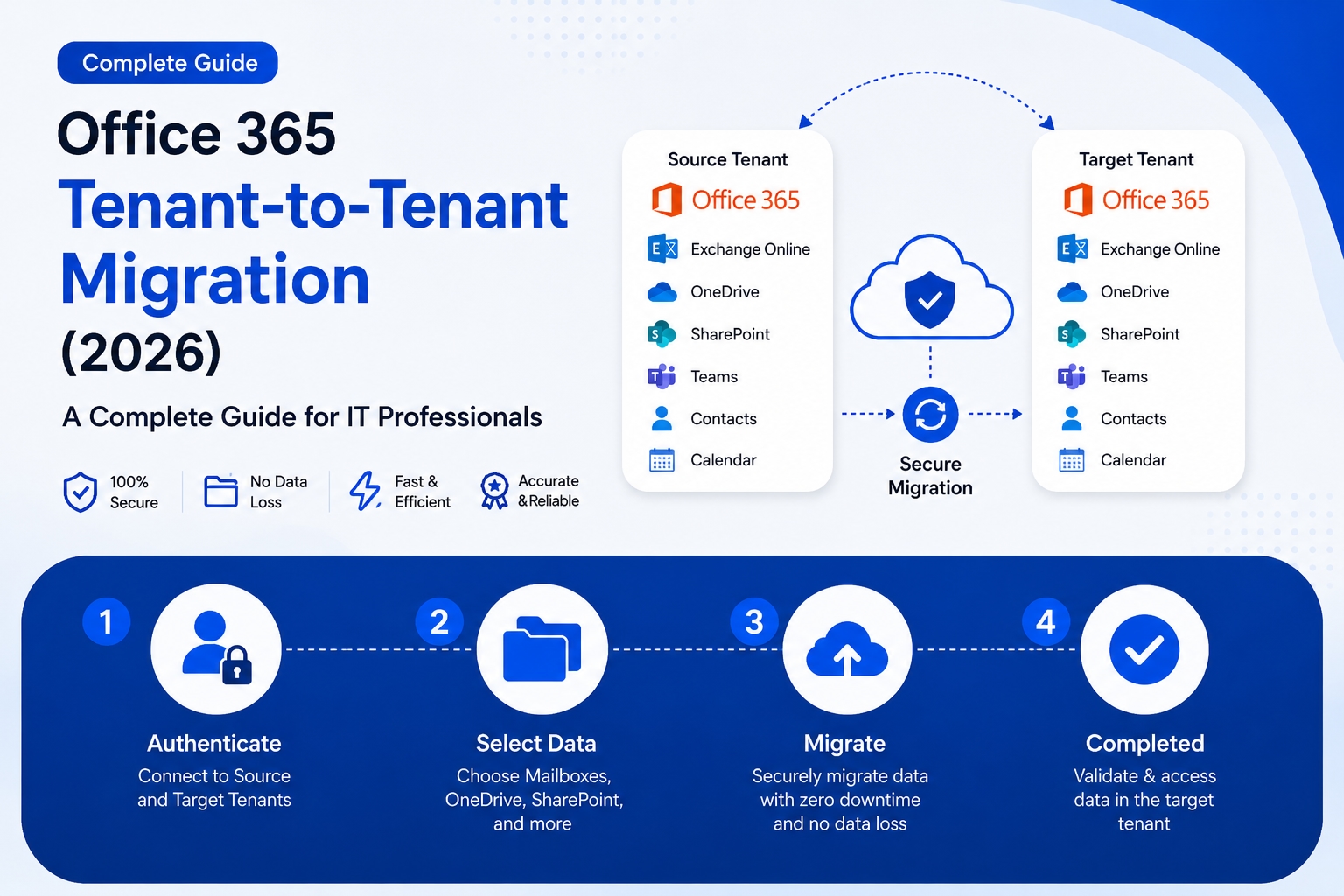
What Is Office 365 Tenant-to-Tenant Migration?
In today's rapidly evolving corporate landscape, businesses frequently undergo mergers, acquisitions, rebranding, and structural consolidations. During these transitions, one of the most technically demanding operations an IT team faces is Office 365 Tenant-to-Tenant Migration. It is the process of moving Microsoft 365 data — mailboxes, SharePoint, OneDrive, and Teams — from one organization's tenant to another, typically triggered by mergers, acquisitions, rebranding, or IT consolidation.
For IT leaders and admins, tenant-to-tenant migration (also called a cross-tenant migration) is a critical step to align and optimize digital resources, especially after a merger or acquisition. Whether you are handling a Microsoft 365 Cross-Tenant Migration involving hundreds of users or a simple Office 365 Mailbox Tenant Migration for a small team, understanding the right approach is essential for a smooth, risk-free transition.
Why Do Organizations Need Office 365 Tenant-to-Tenant Migration?
There are several architecture approaches for mergers, acquisitions, divestitures, and other scenarios that might lead you to migrate an existing Microsoft 365 tenant to a new tenant. Here are some of the most common reasons:
Enterprises merging or navigating complex acquisition processes; businesses rebranding under a completely new domain identity; organizations splitting into two separate legal entities; and companies consolidating multiple regional tenants into one global environment.
IT teams streamlining license costs across satellite departments and legal teams needing data unified for compliance audits.
Poorly executed tenant consolidations in Microsoft 365 can lead to downtime, identity conflicts, and broken access — especially post-M&A. Without a solid plan, organizations risk downtime, identity conflicts, and broken access policies across Entra ID, Exchange, and Teams.
Two Methods to Perform Office 365 Tenant-to-Tenant Migration
Method 1 — Manual Method (Using Microsoft Native Tools)
The first approach to Microsoft 365 Tenant to Tenant Migration is the native, manual method provided by Microsoft itself.
Microsoft's native cross-tenant migration uses Exchange Online PowerShell and the Mailbox Replication Service (MRS) to move mailboxes between tenants. According to Microsoft Learn, target users must exist as MailUser objects with correct ExchangeGuid attributes stamped before migration begins. Both tenant admins must cooperate to register migration apps and establish an organizational relationship before any mailbox moves can begin. This involves registering a migration app in the target tenant via the Microsoft Entra admin center and granting the source tenant admin permission to that migration application. Licensing is also a critical prerequisite — admins must assign a Cross-Tenant User Data Migration license to each migrating user in either the source or target tenant, as the license is required for mailbox and OneDrive migrations.
However, the manual approach carries notable limitations. This process for Microsoft 365 tenant to tenant migration is native but very complex. Though supported by Microsoft, it has secure authentication and preserves mailbox content to an extent, but it requires technical proficiency and PowerShell knowledge. Furthermore, Microsoft's native cross-tenant migration primarily supports Exchange mailboxes — SharePoint, OneDrive, Teams, and other workloads require separate migration methods.
If you are a small organization and need to migrate only a limited number of users, then this method for Office 365 tenant to tenant migration may work for you.
Method 2 — Automatic Method Using SysInfo Microsoft 365 Tenant to Tenant Migration Tool
For organizations handling large-scale Microsoft 365 Cross-Tenant Migration, the SysInfo Microsoft 365 Tenant to Tenant Migration Tool is a highly recommended professional solution.
SysInfo Microsoft 365 Tenant to Tenant Migration Tool is a professional utility designed to simplify complex cloud migration tasks for organizations, IT administrators, and managed service providers. It is a powerful desktop application for Windows and macOS, connecting two tenants via OAuth 2.0. It copies Microsoft 365 mailboxes, OneDrive files, SharePoint sites, calendars, and contacts from one tenant to another using Graph API, ensuring no loss and downtime. The application supports migration between single and multiple Microsoft 365 tenants through a user-friendly interface that eliminates the need for PowerShell scripting or advanced technical procedures. Users can securely authenticate accounts using OAuth 2.0 modern authentication, ensuring compatibility with Microsoft security standards and multi-factor authentication environments. For document management and collaboration environments, the tool supports migration of SharePoint document libraries, site collections, lists, pages, and associated permissions. OneDrive migration functionality enables smooth transfer of files, folders, metadata, version history, and sharing permissions between Microsoft tenants — making the software suitable for enterprise restructuring, mergers, acquisitions, domain changes, or long-term cloud data management projects.
Key Features of the SysInfo Tool:
The tool offers Date Range Filter options, delta migration through Skip Previously Migrated, and direct PST export with Split PST functionality.
Data passes directly between source and destination tenants over TLS-encrypted HTTPS, and incremental transfers can be performed with duplicate detection and filtering of individual date ranges.
An Active Tasks window and an All Reports section provide real-time progress tracking, and the software supports current and older Windows and Mac operating systems for enterprise compatibility.
It helps with custom and automated mapping and offers advanced filters for customized migration, while preserving the structure and data fidelity to ensure business-critical data remains compliant and accessible as in the original tenant.
Steps to Use SysInfo for Office 365 Mailbox Tenant Migration:
Start the Tenant to Tenant Migration Tool and click Copy Mailboxes. Then, choose a mode of authentication, input source tenant account credentials, and tap Sign In. Afterward, select the source mailboxes and tap Continue to select the destination.
Conclusion
Office 365 Tenant-to-Tenant Migration in 2026 is no longer optional — it is a business imperative for organizations going through structural changes. Microsoft 365 Tenant to Tenant Migration is one of the most complex IT operations any organization can perform. Manual PowerShell and Admin Center methods work for small setups but fail to migrate data at enterprise scale — metadata loss, permission gaps, and domain cutover errors become serious risks.
Whether you opt for the manual route or the automated SysInfo Microsoft 365 Tenant to Tenant Migration Tool, choosing the right strategy based on your organization's scale and technical expertise is key. While the manual method is available for the migration, it is not suited for large-scale tenant migrations. To balance control, migration speed, and risk management, use the SysInfo Microsoft 365 Migration Tool — software that enables all technical and non-technical users, including beginners, to securely migrate data with zero loss across tenants, SharePoint, and OneDrive.



