A single Outlook PST file can hold years of email, contacts, calendars, tasks, notes and other mailbox data. When the file is corrupted the users may see that Outlook cannot open the file, folders are missing, mails are missing or individual items do not appear properly. Microsoft says the Inbox Repair Tool (SCANPST.EXE) can locate and fix errors in Outlook data files. But it might not be able to recover some badly damaged or permanently deleted items.
It is helpful to follow a checklist and check the actual contents of the mailbox as opposed to simply verifying that the file opens before deeming a PST repaired.
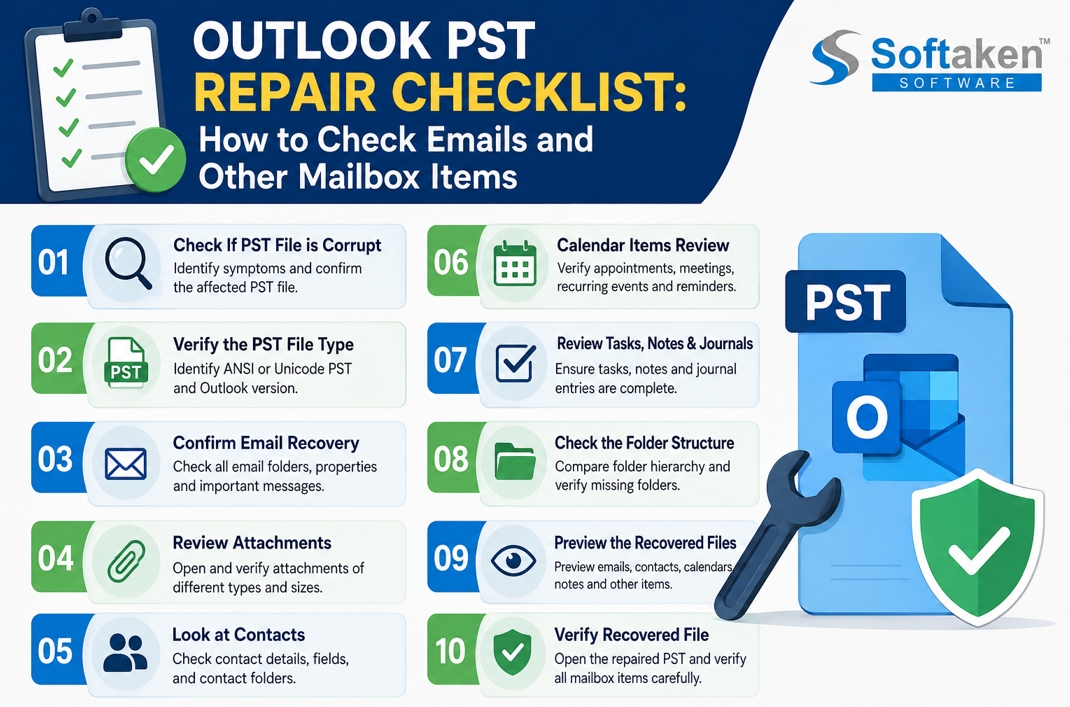
1. Check If PST File is Corrupt
First, observe the symptoms:
· Outlook does not open the PST?
· Are certain folders unavailable?
· Emails not displaying, or displaying incorrectly?
· Outlook is frozen when opening a certain folder?
· Can’t get to your contacts, calendars or tasks?
· If Outlook shows a message about repairing the data file?
A PST file can contain different types of Outlook items such as emails, contacts, appointments, tasks, notes, and journal entries.
Checklist:
· Confirm the affected PST file.
· Note any folders or items that appear to be missing.
· Make a backup copy if you try to fix it.
· Do not work directly on the only copy of the PST.
2. Verify the PST File Type
Outlook has supported both ANSI and Unicode PST formats. If you are using a third-party recovery application, make sure that it supports your type of PST.
Also note the version of Outlook that created the file. This can be useful for diagnosing compatibility or recovery issues.
Checklist:
· If possible, identify the PST format.
· Note the Outlook version used for the file.
· Ensure the recovery method supports the PST format you need.
· Do not touch the original file.
3. Confirm Email Recovery
Emails are generally the most important information in any PST and need to be checked thoroughly after scanning or repair.
Do not simply confirm that the Inbox appears. Open a few messages and check what they contain.
Please review the following:
· Messages in your mailbox
· Sent Mail
· Drafts
· Deleted Items
· Folders in archive
· Customized folders
· Sub-folders
· Older messages
· Newer messages
· Messages with attachments
Review the properties of each email individually, including sender, recipient, CC, BCC, subject, date, and message body. These properties can be significant when recovered email is used for business records or reference.
4. Review Attachments
An email may appear to have been recovered if its attachment is absent or unavailable.
Open sample representative messages with different attachment types and ensure that attachments are present and can be opened.
Checklist:
· Attachments are shown.
· Attachment names are correct.
· Files can be opened.
· There are multiple attachments in one message.
· Large attachments are present and can be opened.
· Older email attachments are also scanned.
Don’t think that just because you did recover the email that all files related to it are usable.
5. Look at Contacts
Besides mail messages, PST files can also contain contact information.
After the repair is complete, compare the restored Contacts folder to a known backup or other copy of the mailbox, if you have one.
Checklist:
· Contact names
· Email addresses
· Phone numbers
· Company information
· Notes & Additional Fields
· Number of contacts
· Contact folders & subfolders
Be sure to focus on business contacts which you cannot get anywhere else.
6. Calendar Items Review
Calendar data can be appointments, meetings, recurring events, reminders etc.
Checklist:
· Calendar opens normally.
· There are older appointments.
· Displays recent appointments.
· Repeating meetings appear correctly.
· No changes to meeting topics and dates.
· Appointment information is visible and important.
Microsoft also points out that calendar information can be stored in PST files and that PST functionality is supported differently in classic and new Outlook.
7. Review Tasks, Notes & Journals
Don’t stop at email, contacts and calendars. A PST can also include tasks, notes and journal entries.
Checklist:
· Tasks are visible and accessible.
· Task subjects and descriptions remain unchanged.
· All due dates are correct.
· Notes are available.
· Where applicable, journal entries are available.
These items may be missed because they are not part of a typical e-mail-based review.
8. Check the Folder Structure
A successful repair should not be judged by the number of recovered emails alone.
Check the original folder structure and compare with repaired data.
Look for:
· Inbox
· Sent Items
· Deleted Items
· Drafts
· Archived folders
· Personalized folders
· Subfolders
· Correct folder names
"SCANPST might create a Lost and Found folder or a Recovered Folder if it cannot restore some items to their original locations," Microsoft says.
9. Preview the Recovered Files Before Saving
If you use recovery software, it’s easier to verify the recovered data if you can preview it before exporting it.
For example, Softaken Outlook PST Repair Software provides a tree-view preview of the recovered PST items and supports recovery of emails, contacts, calendars, notes, tasks, and journals. It also supports Unicode and ANSI PST files.
Checklist:
· Preview mailbox folders
· Open representative emails
· Check attachments
· Check contacts
· Look over calendar entries
· Review notes and tasks
· Verify that key folders exist
10. Verify Recovered File
Once the repaired data is saved, open the resultant PST or import it into a suitable Outlook environment and review it one more time.
Microsoft recommends that you back up the original PST before you run SCANPST, and states that the repair process will create a backup file.
Final checklist:
· Correctly opened recovered file.
· Email can be opened.
· Attachments are present and can be opened.
· Contacts are established.
· Calendar items are available.
· Tasks and notes are available.
· Reasonable folder hierarchy.
· Manual checking of important messages.
· The original PST is securely backed up.
Conclusion
PST repair is more than simply whether the repaired file opens in Outlook. A better way to do this is to go through emails, attachments, contacts, calendars, tasks, notes, folder structures, and important message properties one by one.
For badly damaged PST files, it is also worth comparing the recovered information with an older backup or another copy, if available. There is no way to recover information that has been permanently deleted or too badly corrupted to reconstruct.
The structured checklist provides an easy way to identify missing mailbox items and whether the repaired PST is appropriate for normal use, archiving, migration or further recovery.



