
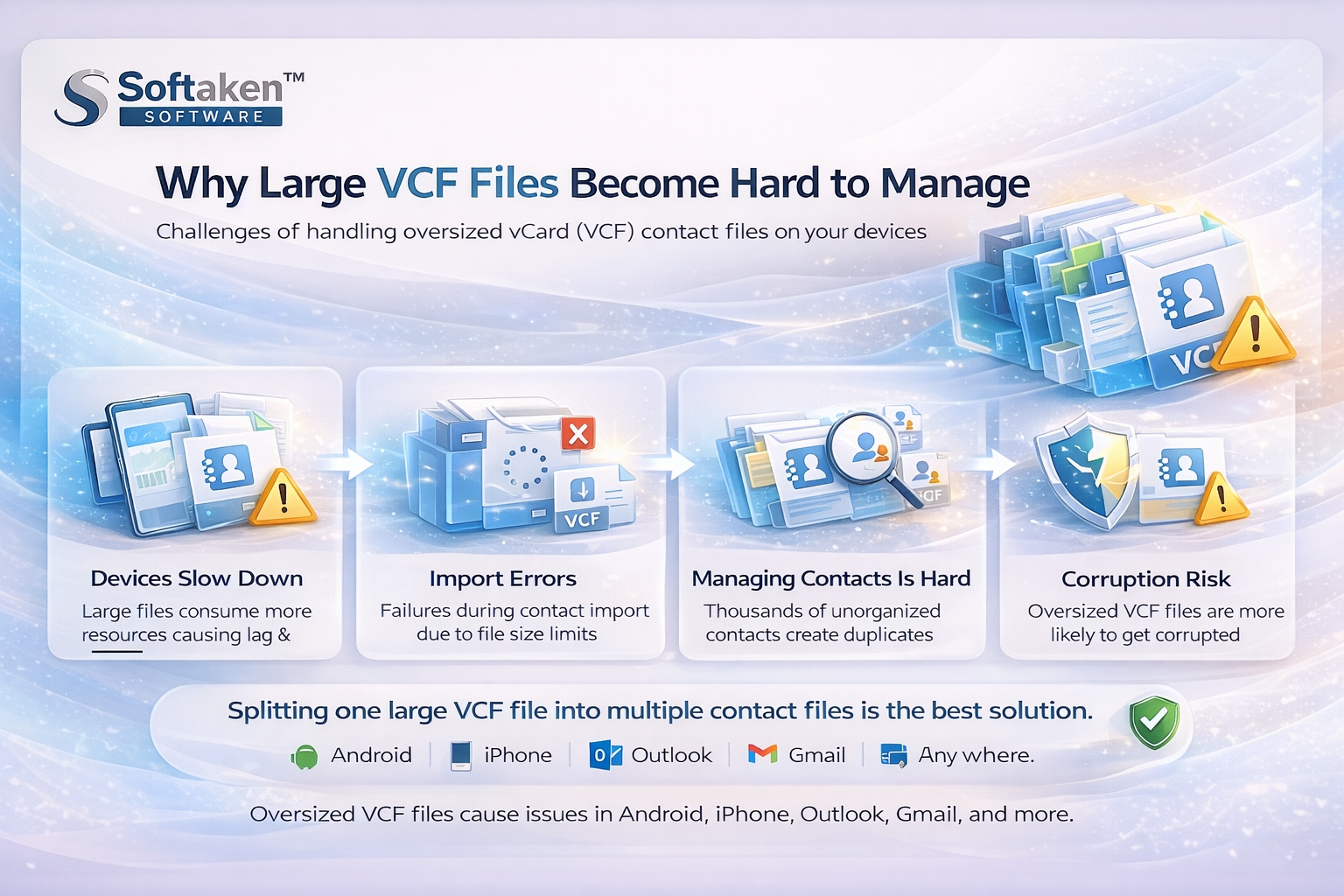
Contact management can become annoying when there is one huge VCF file that contains hundreds or even thousands of contacts in it. Users often observe slowness in their phones, failures in import processes, or duplicate contacts after using such large VCF files.
It happens frequently due to the fact that the size of vCard files makes it hard for devices and computer software to handle them. No matter whether you use an Android phone, iPhone, or Outlook, a large VCF file will become your problem.
Knowing what causes big VCF files to become complicated can improve your contact management skills and prevent further data loss.
WHAT IS A VCF FILE?
A VCF file, also called a vCard file, is a digital contact file used to store information like:
Contact names
Phone numbers
Email addresses
Company information
Addresses
Images
Notes and descriptions
VCF files are widely supported by:
Android devices
iPhone
Microsoft Outlook
Gmail
Yahoo Mail
Thunderbird
Skype
iCloud
A single VCF file may contain one contact or thousands of contacts together.
WHY LARGE VCF FILES BECOME DIFFICULT TO MANAGE
Large VCF files can create several technical and management-related issues. As the contact database grows, devices and applications require more resources to process the file.
Below are the biggest reasons oversized VCF files become problematic.
PHONES AND PCS START SLOWING DOWN
One of the most common problems with large VCF files is device lag.
When a smartphone or computer imports thousands of contacts at once, the system consumes more:
RAM
CPU resources
Storage processing power
This may cause:
Slow contact imports
Freezing during synchronization
Contact app crashes
Delayed search results
Overall phone lag
Older smartphones and low-end devices struggle even more with oversized contact files.
CONTACT IMPORT ERRORS BECOME COMMON
Large VCF files sometimes fail during import because many applications have processing limitations.
Users may experience:
Incomplete contact imports
Missing contact details
Corrupted entries
Sync interruption errors
Software such as Outlook, Gmail, or mobile contact management applications sometimes cease to function when the VCF file size gets too big.
ORGANIZING THOUSANDS OF CONTACTS IS HARD
Maintaining a massive contact list all within one file is tough.
Imagine searching through thousands of contacts just to find one important client number. Sharing selected contacts also becomes frustrating because the entire file contains all entries together.
This creates problems when users want to:
Separate business and personal contacts
Share specific contacts only
Create organized backups
Manage customer databases
Transfer selected contacts to another device
Splitting the VCF file into individual contact files makes organization much easier.
DUPLICATE CONTACTS START APPEARING
Large VCF files are more likely to create duplicate entries when imported multiple times.
This results in:
Repeated phone numbers
Multiple copies of contacts
Confusing contact lists
Contact synchronization conflicts
Managing duplicates manually becomes time-consuming, especially for businesses handling bulk contacts.
LARGE VCF FILES INCREASE CORRUPTION RISK
Oversized vCard files are more vulnerable to corruption issues.
If a large VCF file becomes damaged, users may lose important details such as:
Contact images
Email addresses
Phone numbers
Notes
Descriptions
Even a small formatting issue inside a huge file can affect multiple contacts.
SHARING LARGE CONTACT FILES BECOMES DIFFICULT
Sending a massive VCF file through:
Email
WhatsApp
Cloud storage
Bluetooth
can become inconvenient because of file size restrictions.
Recipients often need only a few contacts instead of the entire contact database. Separate VCF files are easier to share and manage.
WHY SPLITTING LARGE VCF FILES IS A BETTER SOLUTION
Dividing one large VCF file into multiple smaller contact files improves:
Device performance
Contact organization
Sharing flexibility
Import speed
Backup management
Smaller contact files are easier for phones and PCs to process without lagging or crashing.
This is why many users prefer to split oversized VCF files into individual contacts.
BEST WAY TO SPLIT LARGE VCF FILES SAFELY
Manual methods for dividing VCF files are usually complicated and risky. Editing vCard files manually can damage formatting and lead to data loss.
A safer option is using a professional VCF splitter utility like Softaken Software Split vCard Software.
The software is designed to split large VCF files into separate contact files while maintaining complete contact details.
FEATURES OF SOFTAKEN SPLIT VCARD SOFTWARE
SPLIT VCF FILE INTO INDIVIDUAL CONTACTS
The software quickly divides a large VCF file into separate contact files for easier management and sharing.
PRESERVE COMPLETE CONTACT INFORMATION
All contact details remain intact during splitting, including:
Names
Phone numbers
Email addresses
Images
Notes
Descriptions
SUPPORTS ALL VCARD VERSIONS
The tool supports:
vCard 2.1
vCard 3.0
vCard 4.0
Users can split VCF files created from different platforms without compatibility problems.
SAVE CONTACTS IN MSG FORMAT
The software also allows users to save divided contacts into MSG format, which is useful for Outlook users.
NO FILE SIZE RESTRICTIONS
Users can split oversized VCF files containing unlimited contacts without major limitations.
PREVIEW CONTACTS BEFORE SAVING
A preview option helps users verify contact details before exporting the final files.
SIMPLE INTERFACE FOR ALL USERS
The program comes equipped with an easy-to-use interface for all types of users.
STEPS TO SPLIT LARGE VCF FILES
Using Softaken Split vCard Software is simple.
STEP 1
Download and install the software on Windows.
STEP 2
Browse and add the large VCF file.
STEP 3
Choose the destination location.
STEP 4
Select export format:
VCF
MSG
STEP 5
Click on “Start Generating Now” to divide the VCF file successfully.
WHO SHOULD USE A VCF SPLITTER TOOL?
This type of software is useful for:
Business users
IT administrators
Mobile users
Sales teams
Outlook users
Contact database managers
Email migration professionals
A person who handles bulk contact management will find it helpful to split large VCF files.
DOES SPLITTING VCF FILES PRESERVE IMAGES AND CONTACT DETAILS?
Yes, the software keeps contact information intact during the splitting process.
WHICH PLATFORMS SUPPORT SPLIT VCF CONTACTS?
Split VCF contacts can be used with:
Android
iPhone
Outlook
Gmail
Thunderbird
Yahoo Mail
iCloud
and many other platforms.
FINAL THOUGHTS
Huge VCF files usually make contact handling difficult because they can slow down devices, create duplicate entries, increase corruption risk, and cause import failures.
Splitting oversized VCF files into separate contact files is one of the most effective ways to improve contact organization and device performance.
For users searching for a safe and simplified solution, Softaken Split vCard Software provides an easy way to divide large VCF files without affecting contact information.
FREQUENTLY ASKED QUESTIONS
WHY DO LARGE VCF FILES SLOW DOWN PHONES?
Large VCF files consume more memory and processing resources during contact import and synchronization, which can slow down devices.
IS IT SAFE TO SPLIT VCF FILES?
Yes, using a reliable VCF splitter tool helps maintain contact formatting and prevents data loss.
CAN I SPLIT VCF FILES WITHOUT OUTLOOK?
Yes. Softaken Split vCard Software works independently without requiring Outlook installation.
DOES SPLITTING VCF FILES PRESERVE IMAGES AND CONTACT DETAILS?
Yes, the software keeps contact information intact during the splitting process.
WHICH PLATFORMS SUPPORT SPLIT VCF CONTACTS?
Split VCF contacts can be used with:
Android
iPhone
Outlook
Gmail
Thunderbird
Yahoo Mail
iCloud
and many other platforms.



