Microsoft Outlook is widely used to manage emails, contacts, calendars, tasks, and other mailbox information. When Outlook operates with an Exchange Server, Microsoft 365, or IMAP account, it may create an Offline Storage Table file on the local computer. This OST file allows users to access synchronized mailbox data even when an internet connection is unavailable.
Problems can arise when an OST file becomes corrupt, its associated profile is deleted, or the original mailbox account is no longer accessible. In these situations, recovering only the email text is not enough. The original folders, attachments, formatting, and message properties must also remain intact. Professional OST Recovery Software is designed to extract mailbox information while preserving its organization and essential attributes.
Why Folder Structure Matters During OST Recovery
An Outlook mailbox may contain hundreds of folders and thousands of messages. Users frequently create custom folders to organize emails by project, client, department, year, or priority. Default folders such as Inbox, Sent Items, Drafts, Deleted Items, Junk Email, Contacts, and Calendar also serve different purposes.
If a recovery process extracts all emails into a single folder, the user must manually identify and reorganize every message. This can take hours or even days, especially when processing a large business mailbox.
A reliable OST Recovery tool scans the internal folder hierarchy and reproduces it at the selected destination. Parent folders, subfolders, and nested subfolders are retained in their original order wherever the source data remains readable. This makes the recovered mailbox easier to navigate and allows users to continue working with a familiar arrangement.
For example, if an OST file contains a folder named “Clients” with separate subfolders for different companies, the recovery software attempts to recreate the same structure. Emails recovered from each client folder remain associated with the correct location rather than being mixed with unrelated messages.
Understanding Email Properties in an OST File
An email contains more information than its visible subject and message body. Outlook stores various properties that describe the message and help users search, filter, sort, and verify it.
Important email properties may include:
Sender and recipient information
To, CC, and BCC fields
Subject line
Sent and received dates
Message body and formatting
File attachments
Internet message headers
Read or unread status
Importance and sensitivity levels
Categories and flags
Conversation-related information
Embedded images and hyperlinks
These attributes can be important for business communication, audits, internal investigations, compliance reviews, and legal matters. Losing the original timestamps or sender details may reduce the reliability and usefulness of the recovered email.
How OST Recovery Software Preserves Mailbox Data
The recovery process usually begins with a detailed scan of the damaged or inaccessible OST file. The software examines its internal data structures and identifies folders, messages, attachments, contacts, appointments, and other recoverable items.
Instead of copying only the visible content, advanced software reads the properties associated with each mailbox item. The recovered data is then mapped to corresponding fields in the output format. When converting OST to PST, for example, the software attempts to transfer the original folder locations and message attributes into a new Outlook Data File.
This structured mapping is what helps ensure that a message received on a particular date still displays the correct date after recovery. The sender, recipients, subject, formatting, and attachments also remain connected to that message.
The exact recovery result depends on the condition of the source file. Severely damaged or overwritten data may not be fully recoverable, so no legitimate application should guarantee perfect restoration in every case.
Preserving Attachments and Message Formatting
Attachments are often as valuable as the emails that contain them. An invoice, contract, presentation, spreadsheet, or image may be required for future reference. During recovery, dependable software maintains the relationship between an email and its attached files.
The tool should also preserve HTML and rich-text formatting whenever possible. Fonts, colours, tables, hyperlinks, signatures, and inline images help maintain the original appearance and context of a message. If formatting is lost, complex emails may become difficult to read or understand.
Before recovering a complete mailbox, users should preview several emails containing different types of attachments and formatting. This simple check helps confirm whether the selected application can accurately process the available data.
Recovering More Than Email Messages
An OST file may contain much more than email. Depending on the account configuration and synchronization status, it can also store contacts, calendar entries, tasks, notes, and journal-related information.
Capable OST Recovery Software identifies these different item types and places them in their appropriate folders. Calendar appointments should retain details such as the subject, start and end times, location, recurrence information, and participants. Contact entries may include names, email addresses, telephone numbers, company details, and postal addresses.
Maintaining these properties is particularly important for organizations that rely on Outlook as a complete productivity and communication platform rather than only an email application.
Role of OST to PST Conversion
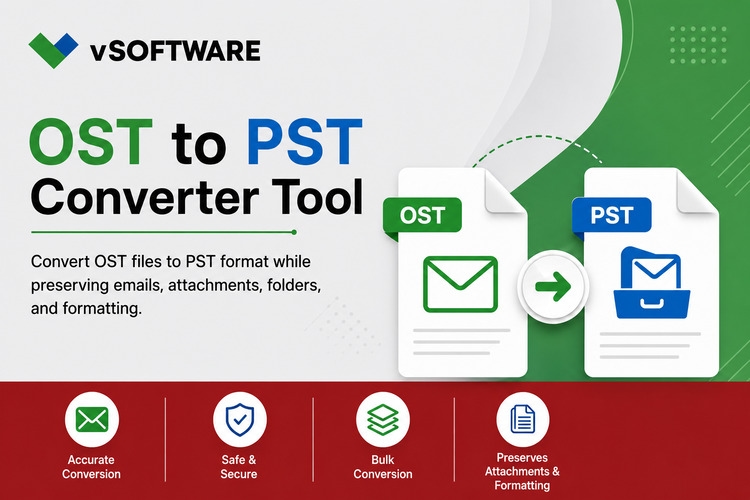
PST is a portable Outlook data format commonly used for backup, migration, and importing mailbox information into Outlook. After recovering an orphaned or damaged OST file, users often choose OST to PST conversion because the resulting file can be opened or imported through compatible versions of Microsoft Outlook.
During conversion, the application creates a new PST file and transfers recoverable mailbox folders and items into it. A well-designed tool maintains the original hierarchy and avoids unnecessarily changing the content.
For large mailboxes, some applications provide an option to split the resulting PST into smaller files. They may also offer filters that allow users to export emails from a specific date range or selected folders. These options can make the recovered data easier to manage.
Features to Check Before Selecting an OST Recovery Tool
Not every application offers the same recovery quality or output options. Before choosing an OST Recovery tool, users should evaluate several practical features.
The software should provide a preview of recoverable folders and messages before saving them. It should support encrypted, orphaned, inaccessible, or corrupted OST files within its documented capabilities. Selective folder recovery, attachment preservation, date filters, and support for large files are also useful features.
Users should verify compatibility with their Windows and Outlook versions. They should also check whether the trial edition only previews data or permits limited saving. For confidential mailbox information, locally installed software may be preferable because the OST file does not need to be uploaded to a third-party server.
It is advisable to work with a copy of the original OST file. Keeping the source file unchanged provides an additional safeguard if another recovery attempt becomes necessary.
Conclusion
Successful OST recovery is not simply about extracting readable email text. It involves restoring the relationships that make a mailbox useful, including its folder hierarchy, message properties, attachments, formatting, contacts, and calendar records.
Professional OST Recovery Software simplifies this complex process by scanning the source file, identifying recoverable mailbox objects, and rebuilding them in an organized output. When performing OST to PST conversion, a dependable solution helps retain the original structure so users can search, review, and manage their recovered information efficiently.
Choosing a trustworthy tool, testing its preview, and protecting the original OST file can significantly improve the safety and accuracy of the recovery process.