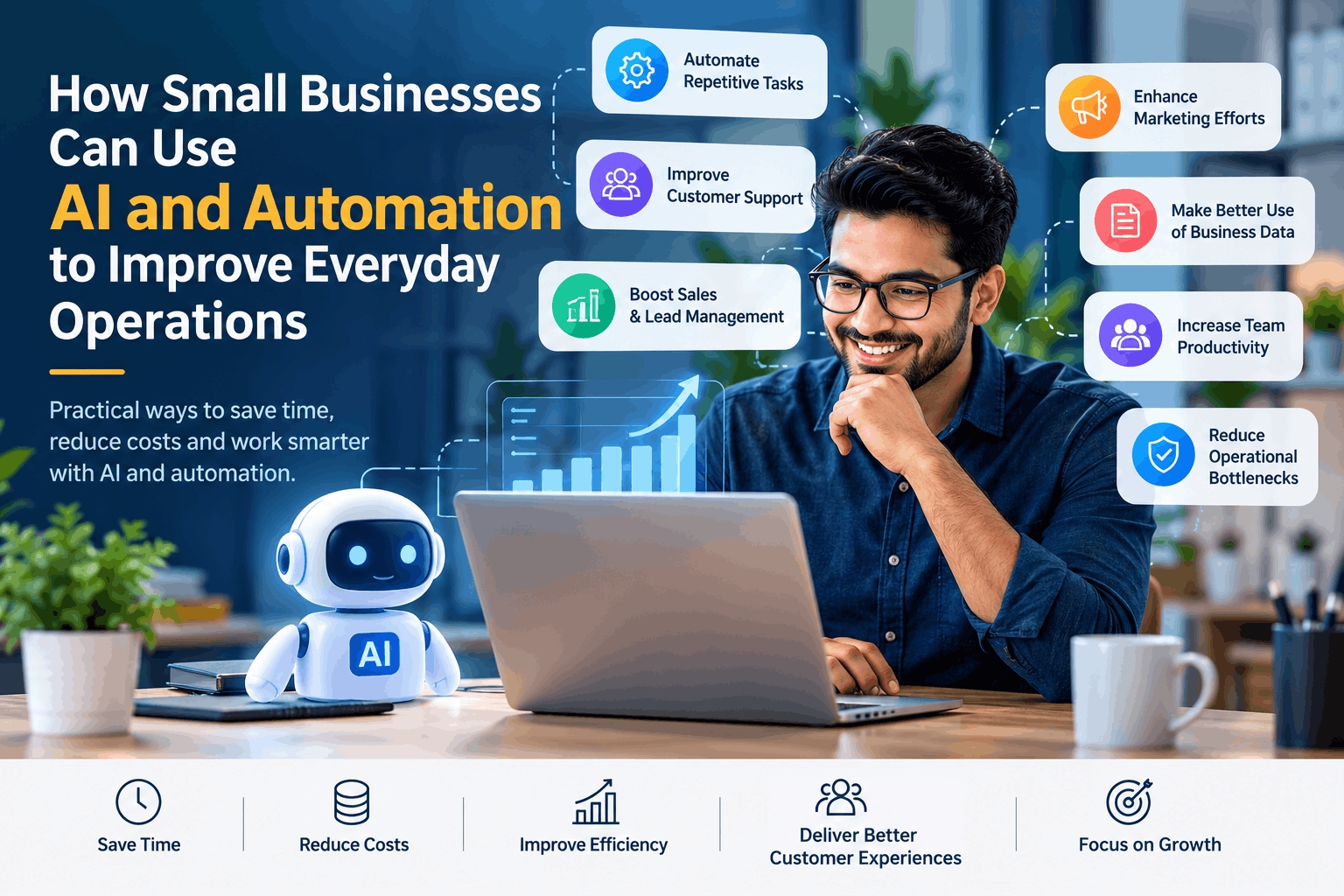
Artificial intelligence and business automation are becoming more accessible to small companies. A retailer can automate stock alerts, a training company can respond to routine enquiries, and a professional services firm can turn meeting notes into follow-up tasks without building an in-house technology department.
The opportunity is real, but adoption should begin with a business problem rather than with enthusiasm for a new tool. AI may help interpret information, generate content, or support decisions. Automation can move information between systems and trigger predictable actions. Neither is a guaranteed shortcut to growth.
The U.S. Chamber of Commerce reported in August 2025 that 58% of surveyed U.S. small businesses said they used generative AI, compared with 40% in 2024. This is a survey result from a specific U.S. sample, not a universal measure of small-business adoption. The broader lesson is that AI is moving from experimentation into everyday business discussions—but responsible implementation matters as much as access.
What Are AI and Business Automation?
AI refers to software that performs tasks associated with human intelligence, such as generating text, classifying information, recognizing patterns, summarizing documents, answering questions, or making predictions.
Automation is broader. It means using technology to perform a defined workflow with little manual intervention. A workflow may be rule-based, AI-assisted, or a combination of both.
For example:
Automation: When an online enquiry arrives, create a CRM record and send an acknowledgement email.
AI: Read the enquiry, identify its subject, summarize the customer’s needs, and suggest a response.
AI plus automation: Classify the enquiry, route it to the right employee, draft a reply, and schedule a follow-up.
Traditional automation works best when the rules are stable and predictable. AI is more useful when the task involves language, classification, pattern recognition, or variable inputs.
A small business should not ask, “Where can we use AI?” A better question is, “Which part of this process is repetitive, slow, error-prone, or difficult to manage?”
Automating Repetitive Administrative Tasks
Administrative work often consumes time without directly improving the customer experience. Common examples include:
Entering information from forms into a spreadsheet or CRM.
Scheduling appointments.
Sending invoice reminders.
Preparing routine reports.
Organizing documents.
Extracting information from receipts or purchase orders.
Sending internal notifications.
Updating records across multiple systems.
A local service business could connect its website booking form to a calendar, payment system, and customer database. A professional services company could automatically create a task when a contract is signed. An e-commerce business could generate an internal alert when orders are delayed or inventory falls below a threshold.
AI can assist with unstructured documents. For example, it may extract a supplier name, invoice number, date, and amount from a document. A human should still review exceptions, especially when financial or legal information is involved.
Where the value comes from
The potential benefits include faster processing, fewer transcription mistakes, more consistent follow-up, and better visibility into pending work. These are practical possibilities, not guaranteed outcomes.
Automation is most suitable when a task:
Happens frequently.
Follows recognizable rules.
Has a clear beginning and end.
Can be measured.
Does not require constant judgment.
A business should be cautious when automating a process that is poorly understood. Automating a confusing workflow can make errors occur faster and become harder to detect.
Improving Customer Support
Small businesses can use AI and automation to improve the speed and organization of customer service without removing human contact.
Practical applications include:
Website chatbots for common questions.
Automated appointment confirmations.
AI-assisted email replies.
Ticket categorization.
Routing enquiries to the correct employee.
Searchable knowledge bases.
Follow-up messages after a purchase or service visit.
Summaries of previous customer interactions.
A training company might use a chatbot to answer questions about course schedules, delivery formats, fees, and admission steps. A retailer could automate order-status updates. A software company could classify support tickets according to product area and urgency.
AI-assisted support is different from fully automated support. In the first model, AI suggests a reply while an employee reviews it. In the second, the system responds independently within defined boundaries.
When people must remain involved
Human support remains important when:
The customer is distressed or dissatisfied.
The issue involves refunds, complaints, or disputes.
The information is sensitive.
The answer depends on unusual circumstances.
The customer requests a person.
The system is uncertain.
A decision could create legal, financial, or health-related consequences.
Businesses should make escalation easy. A chatbot that prevents a customer from reaching a person may reduce short-term workload while damaging trust.
Knowledge bases also need maintenance. Outdated pricing, policies, or service information can lead to confident but incorrect responses.
Improving Sales and Lead Management
AI and workflow automation can help small businesses manage leads more consistently.
Useful applications include:
Capturing enquiries from websites and advertising platforms.
Removing duplicate records.
Classifying enquiries by product, location, or urgency.
Suggesting lead-priority categories.
Sending follow-up reminders.
Assigning prospects to sales staff.
Creating personalized first-draft messages.
Updating CRM stages after defined actions.
Identifying inactive opportunities.
A real-estate agency may use automation to send property details after an enquiry and remind an agent to follow up after a viewing. A SaaS company may segment trial users according to product activity and send educational guidance to users who have not completed onboarding.
AI can help summarize a prospect’s needs from emails or call notes. It can also identify keywords that suggest a lead is asking about price, implementation, timing, or a particular service.
However, lead scoring should not be treated as an unquestionable judgment. A new customer or an unusual enquiry may appear less important because the system has limited historical information.
The best approach is to use AI to prioritize attention, while allowing sales employees to override the recommendation and explain why.
Using AI for Marketing
AI can assist with several marketing activities:
Researching customer questions.
Developing content outlines.
Summarizing market information.
Generating alternative headlines.
Personalizing email drafts.
Grouping audiences.
Reviewing campaign performance.
Identifying search topics.
Repurposing a long article into shorter formats.
A small education company could use AI to organize frequently asked questions before creating a course page. A local retailer could draft product descriptions and promotional email variations. A professional services firm could summarize a webinar into social posts and an email newsletter.
The efficient use of AI is not the same as publishing whatever it generates. Marketing content should be reviewed for:
Accuracy.
Originality.
Brand voice.
Local and cultural context.
Unsupported claims.
Privacy and confidentiality.
Copyright and attribution.
Compliance with industry requirements.
Human review is especially important for financial, healthcare, legal, technical, and safety-related content.
AI can also support SEO research, but search visibility should not become the only objective. Useful content still needs to answer genuine customer questions and reflect the organization’s actual expertise.
Making Better Use of Business Data
Many small businesses have information in separate systems: accounting software, spreadsheets, online stores, CRM platforms, advertising accounts, and customer-support tools.
AI and automation can help by:
Cleaning and organizing records.
Detecting duplicate entries.
Categorizing transactions.
Summarizing reports.
Identifying unusual changes.
Connecting data from different sources.
Generating dashboard explanations.
Turning natural-language questions into preliminary reports.
For example, a retailer might ask which products had falling sales and rising returns during a particular period. An AI-enabled analytics system may help locate the relevant records and present an initial summary.
A business manager should still verify the underlying data and definitions. “Sales” may mean orders placed, payments received, or revenue after returns, depending on the system. A polished dashboard can create false confidence if its data is incomplete or inconsistent.
The OECD’s 2025 work on AI adoption in firms emphasizes that skills, training, data, and organizational conditions influence whether businesses can gain value from AI. The existence of an AI tool does not remove the need for capable users and sound processes.
Improving Team Productivity
AI and automation can reduce coordination work that interrupts employees throughout the day.
Examples include:
Turning meeting transcripts into summaries and action items.
Creating tasks from emails.
Routing documents for approval.
Organizing files and applying labels.
Searching internal policies.
Preparing recurring status reports.
Translating routine internal communication.
Notifying teams when deadlines or conditions change.
A software company might connect issue tracking, release notes, and customer-support questions. A professional services firm could use meeting summaries to create follow-up tasks and identify unanswered client questions.
These tools work best when employees agree on basic rules. For example, the team should know where the final document is stored, which system contains the official task status, and how AI-generated notes are reviewed.
Automation should reduce unnecessary coordination, not create more alerts. If employees receive notifications from several disconnected systems, the result may be greater distraction rather than improved productivity.
Microsoft’s 2025 Work Trend Index reported that 53% of leaders surveyed said productivity needed to improve, while 80% of surveyed employees and leaders said they lacked sufficient time or energy to do their work. The survey covered 31,000 knowledge workers across 31 markets, so its findings should be understood as survey evidence rather than a universal measurement of every workplace.
Reducing Operational Bottlenecks
Before automating a process, map how work currently moves.
Ask:
Where does a request begin?
Which systems are involved?
Who approves each stage?
Where does work wait?
Which information is entered more than once?
Which exceptions require manual intervention?
How often does rework occur?
An e-commerce business may find that orders are delayed because payment confirmation, stock checking, and dispatch information sit in separate systems. A local repair business may discover that appointment requests are lost because calls, messages, and website forms are not recorded in one place.
Possible solutions include:
Automatic assignment of work.
Standard approval routes.
Alerts for overdue tasks.
Integration between CRM and accounting systems.
AI classification of incoming requests.
Templates for common documents.
Exception queues for cases that require human review.
Not every bottleneck needs AI. A simple form, shared database, or clearer responsibility may solve the problem more cheaply.
A Practical Way to Start
A disciplined implementation framework is:
Identify a problem → Measure the current process → Choose the right tool → Test on a small scale → Measure results → Improve → Expand
1. Identify a problem
Choose one process that creates visible cost, delay, or frustration. Examples include slow enquiry responses, manual invoice follow-up, duplicated data entry, or repeated customer questions.
2. Measure the current process
Record basic information such as time taken, number of steps, error frequency, backlog, or response time. Without a baseline, it is difficult to judge whether automation helped.
3. Choose the right tool
The solution might be a CRM workflow, spreadsheet automation, accounting integration, chatbot, document-processing tool, or AI assistant. Select based on the problem, not on the number of features.
4. Test on a small scale
Run a pilot with one team, process, or category of customer. Keep a manual fallback available.
5. Measure results
Review time saved, error rates, response quality, customer feedback, employee adoption, and operating costs.
6. Improve and expand
Fix unclear rules, update instructions, train employees, and expand only when the process is stable.
Small businesses should avoid automating everything immediately. A narrow use case with clear ownership is easier to secure, maintain, and evaluate.
Risks and Challenges
Implementation costs
Software subscriptions may be only one part of the cost. Businesses may also pay for integration, customization, training, migration, maintenance, and support.
Data privacy
Do not enter confidential customer, employee, financial, health, or proprietary information into an AI service without understanding how the data is stored and used. Review provider terms, retention policies, access controls, and contractual protections.
Cybersecurity
Connected tools create more accounts, integrations, and access points. Use multi-factor authentication, strong access controls, software updates, logging, and regular reviews of connected applications.
Incorrect AI outputs
Generative AI can produce inaccurate or misleading information. NIST’s 2024 Generative AI Profile identifies “confabulation”confidently stated but erroneous or false content—as a risk, alongside privacy, security, and harmful-content risks.
Employee training
Employees need to understand what a system can do, what it cannot do, and when human review is required. Training should include practical examples rather than general encouragement to “use AI.”
Integration problems
A new tool may not connect cleanly with existing systems. Data formats, permissions, duplicate records, and inconsistent definitions can make integration more difficult than expected.
Vendor dependency
If a business relies heavily on one platform, price changes, service outages, discontinued features, or data-export restrictions can create operational risk. Businesses should understand how to retrieve their data and replace the system if necessary.
Lack of human oversight
AI should support employees and decision-makers, not silently make high-impact decisions without review. Human accountability remains necessary for customer disputes, hiring, pricing exceptions, financial approvals, and sensitive services.
Making the Investment Decision
Automation is usually easier to justify when the process is repetitive, measurable, stable, and costly to perform manually.
Before investing, estimate:
Current time spent.
Cost of errors.
Delays affecting customers.
Subscription and implementation costs.
Training and maintenance requirements.
Expected improvement.
Risks if the system fails.
The answer may be that automation is not worthwhile. If a task happens only a few times each month, or if the workflow changes constantly, a simple manual process may remain more practical.
Infoz IT Solutions is one example of a technology solutions provider offering services such as software development, CRM, ERP, cloud solutions, data analytics, cybersecurity, and digital transformation. A business considering external assistance should evaluate providers based on technical suitability, security practices, integration experience, training, and ongoing support rather than relying on broad service descriptions alone.
AI and automation are most useful when they remove avoidable work while preserving human judgment where it matters. The strongest starting point is not an ambitious transformation programme. It is one well-defined operational problem, measured carefully and improved step by step.