
Smartphones have become an important part of everyday life. People use them to capture photographs, record videos, download documents, communicate with others, and access entertainment. As a result, mobile devices continuously collect digital content. Although having everything available in one place is convenient, managing these files can become difficult when storage starts running low.
Large video recordings, duplicate photographs, downloaded media, and unused application files can gradually consume available space. This may affect everyday activities, making it harder to install applications, save new photographs, download updates, or record additional videos.
Fortunately, smartphone storage management does not have to be complicated. With a few practical habits, users can organize their digital content, remove unnecessary files, and protect important memories without constantly worrying about available space.
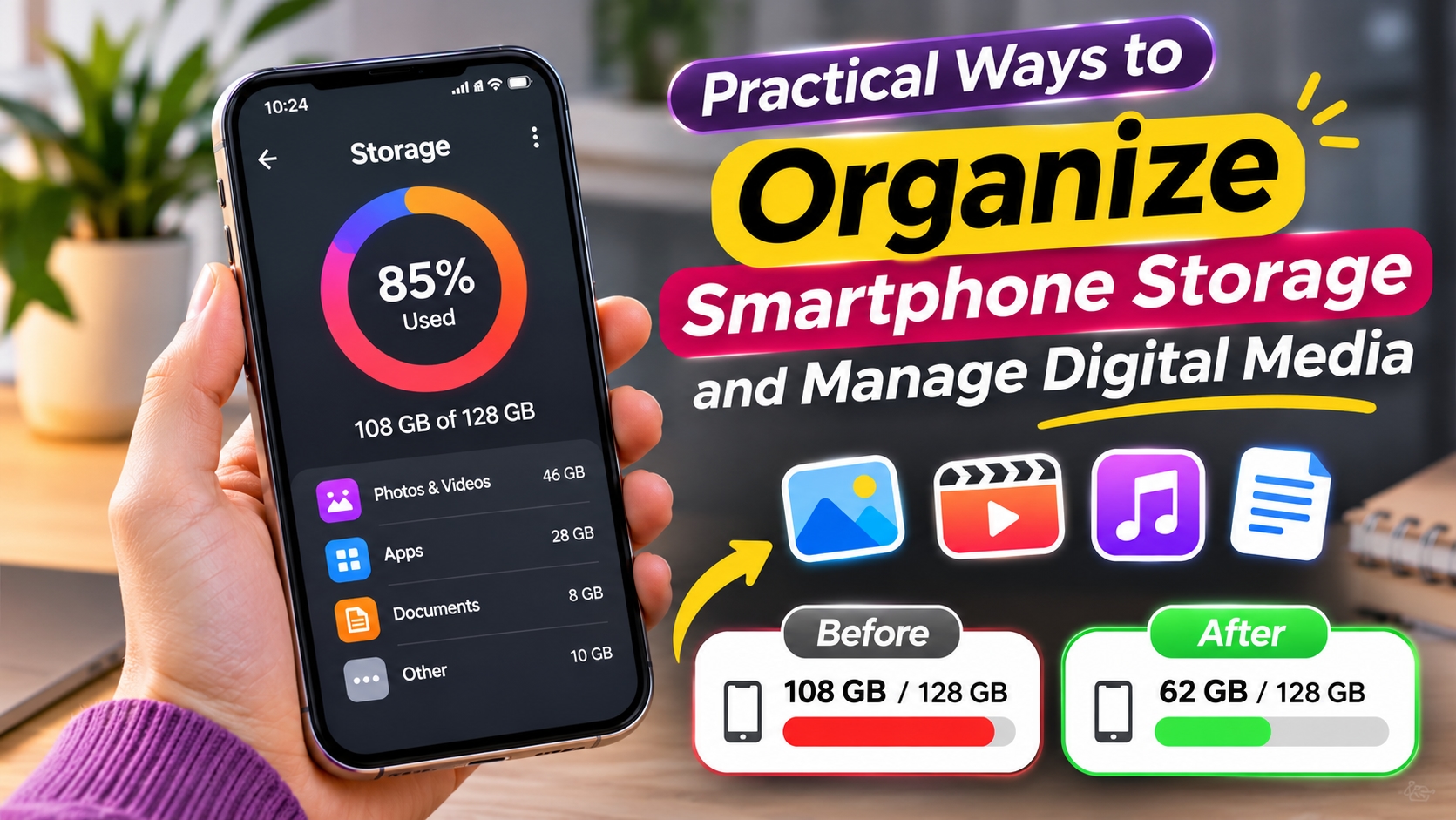
1. Understand What Is Using Your Smartphone Storage
The first step toward better storage management is identifying which files and applications are consuming the most space. Deleting files randomly is not always a good solution because some of them may contain important personal or work-related information.
Most modern smartphones include built-in storage management features. Android users can generally find storage information through their device settings, while iPhone users can check the iPhone Storage section under General settings.
These tools usually display storage categories such as:
Applications and their associated data
Photographs and video recordings
Downloaded documents
Music and offline media
Messaging application attachments
Temporary and cached files
Reviewing these categories helps users understand where their available space is going. For example, someone who frequently records videos may discover that media files occupy more space than installed applications.
Once the largest storage categories are identified, users can prioritize the areas that need attention.
2. Organize Videos Instead of Keeping Everything Together
Videos often consume more storage than ordinary photographs. Their file sizes depend on several factors, including recording duration, resolution, frame rate, and compression.
A short recording may require relatively little space, while a longer video recorded in high resolution can occupy hundreds of megabytes or more.
Keeping every recording in one general gallery can also make file management difficult. Users may struggle to distinguish important memories from temporary recordings, downloaded clips, or unnecessary footage.
Creating separate folders can make this process easier. For example:
Family and personal videos
Travel recordings
Educational videos
Work-related footage
Social media content
Edited video projects
Important recordings
Descriptive folder names make it easier to locate specific content later. Users can also rename important files using dates, events, or subjects.
3. Review Large Video Files Regularly
One of the simplest ways to create additional storage space is to review large video recordings. Many smartphones allow users to sort media by file size, making it easier to identify recordings that occupy significant space.
Start by checking long videos, repeated recordings, and unsuccessful takes. These files may include footage that is no longer needed.
However, deleting everything that appears large is not recommended. Some recordings may contain valuable personal memories, business information, or footage needed for future editing.
Before removing a video, consider whether it should be:
Kept on the smartphone for regular access
Transferred to a computer
Backed up using a cloud service
Stored on compatible external storage
Permanently deleted because it is no longer needed
For additional information, users can explore these practical smartphone video storage management tips, which provide further guidance on organizing media files and managing device storage.
4. Remove Duplicate Photographs and Unnecessary Downloads
Duplicate photographs and downloaded files are another common reason smartphone storage becomes cluttered.
Users often take several photographs of the same subject to get the best result. Similarly, messaging applications may save images and videos that have already been downloaded or received multiple times.
Over time, these files can accumulate without attracting much attention.
A regular review can help identify:
Duplicate photographs
Repeated video recordings
Unnecessary screenshots
Old documents
Incomplete downloads
Unused social media clips
Multiple exported versions of the same video
Some devices include duplicate detection or storage cleanup features. These can help identify repeated content, but users should always review suggested files before deleting them.
It is also useful to check the Downloads folder because documents and media files often remain there long after they are needed.
A few minutes of regular cleanup can make the overall file collection easier to manage.
5. Choose the Right Video Recording Settings
Recording every video at the highest available quality is not always necessary. The appropriate settings depend on how the footage will be used.
For example, casual recordings intended for messaging or social media may not require the same resolution as professional video projects.
Higher resolutions such as 4K generally provide more visual detail, but they also produce larger files. Recording at 1080p may be sufficient for everyday use and can help conserve storage space.
Users should consider the following factors before recording:
Resolution: Select a resolution that matches the intended purpose of the video.
Frame rate: Higher frame rates can be useful for slow-motion footage, but they are not necessary for every recording.
Recording duration: Avoid keeping the camera running when the required footage has already been captured.
Video format: Some devices provide different recording formats with different compression and compatibility characteristics.
Editing requirements: Professional projects may require higher-quality original footage for future editing.
Choosing suitable settings helps users balance video quality with available storage.
6. Back Up Important Media Before Deleting It
Removing unnecessary files is useful, but protecting important content should always come first. Photographs, family recordings, business videos, and personal documents may be difficult or impossible to recover if deleted without a backup.
Cloud storage is one option for keeping digital content accessible across supported devices. Services such as Google Photos and iCloud offer ways to store and synchronize supported media.
Computer storage is another practical option. Users can transfer large video files to a computer and organize them into folders for long-term access.
Compatible external storage devices can also provide additional space for keeping photographs, videos, and documents.
Regardless of the method, users should verify that their backup is complete before deleting original files from their smartphones.
It is also important to understand the difference between synchronization and an independent backup. In some services, deleting a synchronized file may also remove it from the connected cloud library. Always check how the selected service handles deletion.
7. Manage Media Saved by Social Media Applications
Social media platforms make it easy to watch, share, and save video content. However, downloaded clips, temporary files, and application caches can gradually occupy a significant amount of storage.
Users who frequently browse TikTok, Instagram, YouTube, and other platforms should review how much space these applications consume.
Some useful practices include:
Remove downloaded videos that are no longer needed.
Review saved media before downloading another copy.
Delete unnecessary offline content.
Check application storage settings.
Clear cache when the application and device provide a safe option.
Avoid downloading the same video repeatedly.
Creators should also organize their original recordings separately from exported videos and downloaded references. This makes it easier to find project files without searching through an overcrowded gallery.
When downloading or sharing videos, users should also respect copyright and platform rules. Having a downloaded copy does not automatically provide permission to republish someone else's content.
8. Review Applications and Their Stored Data
Applications can consume more space than users initially expect. Some store documents, downloaded content, conversation attachments, and temporary files.
A messaging application, for example, may automatically save photographs and videos received in conversations. Streaming applications may also store offline movies, music, or other media.
Review application storage settings to identify which apps are using the most space.
Consider these steps:
Open the smartphone's storage settings.
Review the list of installed applications.
Identify applications using unusually large amounts of storage.
Check whether they contain unnecessary downloads.
Remove offline content that is no longer required.
Uninstall applications that are no longer used.
Be careful when clearing application data. This action can remove account information, saved settings, downloaded files, and locally stored content. It is different from clearing temporary cache files.
Before changing application storage settings, check whether important information is synchronized or backed up.
9. Create a Simple Folder and File Naming System
A well-organized folder structure can save time and reduce confusion, especially for users who regularly manage photographs, videos, and work-related documents.
Instead of saving everything in one location, create folders based on content type or purpose.
A simple structure could look like this:
Personal Media
Family Photos
Travel Videos
Special Events
Work Projects
Client Recordings
Product Videos
Marketing Content
Learning Materials
Tutorials
Educational Clips
Reference Files
Documents
Important Records
Receipts
Downloaded Files
Use clear filenames whenever possible. Including a date or subject in the filename can make searching easier.
This system is especially useful for content creators, students, and professionals who frequently save different types of media.
10. Develop a Monthly Smartphone Storage Routine
Storage management becomes easier when it is treated as a regular maintenance activity rather than an emergency task.
Waiting until a smartphone displays a low-storage notification can make cleanup stressful. A monthly review helps users identify unnecessary files before they become a problem.
A simple routine can include:
Check available device storage.
Review large video recordings.
Remove unnecessary duplicate files.
Organize new photographs and downloads.
Review media saved by social applications.
Back up important photographs and videos.
Check applications that occupy significant storage.
Confirm that important files are safely stored before deleting local copies.
Users can also perform a quick review whenever they finish a large video project or return from a trip.
The purpose is not to delete as many files as possible. It is to maintain an organized collection where important content remains accessible and unnecessary clutter is reduced.
Conclusion
Managing smartphone storage is about more than simply creating additional space. It involves organizing digital content, protecting important files, and developing habits that make everyday device management easier.
Large video recordings, duplicate photographs, social media downloads, and unused application data can gradually consume available storage. By reviewing these files regularly, selecting suitable recording settings, organizing folders, and maintaining reliable backups, users can avoid unnecessary clutter.
A consistent storage management routine also makes it easier to locate important photographs, videos, and documents whenever they are needed. Small improvements in organization can make a significant difference in maintaining a convenient and efficient smartphone experience.



