
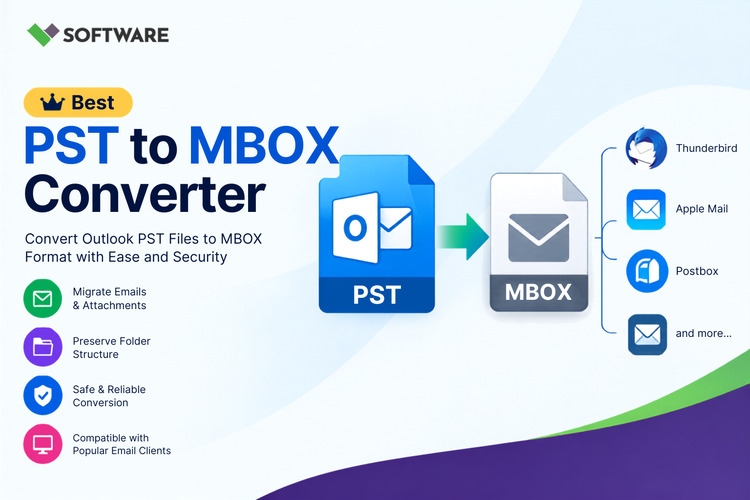
Moving email data between different applications can be challenging because not every email client supports the same file format. Microsoft Outlook stores mailbox information in PST files, whereas applications such as Mozilla Thunderbird and several other email platforms support the MBOX format. Users who want to change their email client may therefore need to convert their existing Outlook data.
A PST to MBOX Converter Software solution can extract emails from a PST file and save them in MBOX format. However, users often have to choose between a free utility and a paid application. Although a free tool may be suitable for a small or one-time task, paid software generally offers more features, flexibility, and support.
This article compares free and paid conversion options to help users choose the most appropriate method for their requirements.
Understanding PST and MBOX File Formats
Before comparing conversion tools, it is helpful to understand the two formats involved.
What Is a PST File?
PST stands for Personal Storage Table. It is a mailbox data file associated with the classic desktop version of Microsoft Outlook for Windows. A PST file can contain:
Emails and attachments
Contacts and contact groups
Calendar appointments
Tasks and notes
Journals
Mail folders and subfolders
PST files are useful for storing Outlook data locally, creating archives, and transferring mailbox information between compatible Outlook installations.
What Is an MBOX File?
MBOX is a widely recognized mailbox format that stores a collection of email messages in a single file. It is supported by various desktop email applications and email management systems.
Unlike PST, an MBOX file mainly stores email messages and their associated attachments. Outlook-specific items such as calendars, tasks, and contacts may require separate export formats because they do not always have direct equivalents in an MBOX mailbox.
Why Convert PST to MBOX?
Users may need to Convert PST to MBOX for several practical reasons:
Migrating from Microsoft Outlook to Mozilla Thunderbird
Accessing Outlook emails on a different operating system
Reducing dependence on a single email application
Archiving messages in a widely supported mailbox format
Moving historical emails into another compatible platform
Extracting selected Outlook folders for future access
Whatever the reason, the conversion process should preserve message content, attachments, metadata, and the original folder arrangement as accurately as possible.
What Is Free PST to MBOX Converter Software?
Free conversion software is available without an initial purchase. It may be an open-source utility, a limited demonstration version of a commercial product, or a basic application designed for small migration tasks.
Some free tools can process complete files, while others only allow users to preview mailbox data or export a limited number of messages. Therefore, “free” does not automatically mean unrestricted.
A free PST to MBOX Converter may be helpful when:
The source PST file is small
Only a few emails need to be migrated
The mailbox does not contain highly sensitive information
The user has enough technical knowledge to resolve errors
Advanced filters and batch conversion are unnecessary
Before downloading any free utility, users should verify its source, security, compatibility, and export limitations.
What Is Paid PST to MBOX Converter Software?
Paid software requires a license but normally provides additional capabilities. Depending on the product and license type, it may support unlimited export, large PST files, batch conversion, email filters, folder selection, and technical assistance.
A licensed solution may be more appropriate for businesses, administrators, and users with large or important mailboxes. It can also reduce the manual effort required to complete complex migrations.
Purchasing software does not automatically guarantee accurate results. Users should still evaluate the application through a demo version, review its supported features, and test it with a copy of their mailbox.
Free vs Paid Converter: Detailed Comparison
Comparison Factor | Free Converter | Paid Converter |
Export capacity | May be limited | Usually supports complete conversion |
File-size support | Often suitable for small files | Commonly designed for larger PST files |
Batch conversion | Rare or restricted | Frequently available |
Folder selection | Basic or unavailable | Usually included |
Date filters | May not be available | Often supported |
Attachment export | Varies by application | Generally supported |
Folder hierarchy | May have limitations | Commonly preserved |
Technical support | Community-based or unavailable | Vendor assistance may be included |
Software updates | Irregular | More likely to receive updates |
Business use | May have license restrictions | Commercial licenses are often available |
Features differ among products, so users should confirm each capability directly with the software provider.
Advantages of Using a Free Converter
The most obvious advantage of free software is cost. A user can test the basic conversion process without purchasing a license. This makes it useful for students, home users, and anyone with a small mailbox.
A free converter may also be sufficient for a simple one-time migration. If only a few folders or messages need to be exported, paying for advanced capabilities might not be necessary.
Free demo editions of commercial tools can help users:
Examine the interface
Scan the source PST file
Preview mailbox folders
Check attachment detection
Evaluate conversion accuracy
Confirm system compatibility
However, the demo restrictions should be reviewed before starting the migration.
Limitations of Free Conversion Tools
Free tools may limit the number of exported emails, the size of the source file, or the available saving options. Some applications scan the entire mailbox but save only a few messages from each folder.
Other possible limitations include:
No batch processing
Limited support for large PST files
Lack of selective conversion
No duplicate-management option
Incomplete folder hierarchy
Limited error reports
No dedicated technical support
Outdated operating-system compatibility
Security is another important concern. Users should avoid downloading unknown utilities from unofficial sources. An unverified application could contain unwanted programs, collect mailbox data, or create an unusable output file.
Advantages of Paid Converter Software
A paid PST to MBOX Converter Software solution is generally intended for complete and controlled email migration. It may provide features that save time and improve accuracy, particularly when processing large or multiple PST files.
Complete Mailbox Export
Licensed editions usually remove the item-count restrictions found in demo versions. This allows users to convert all supported emails and attachments.
Batch Conversion
Organizations may need to process PST files belonging to several employees. Batch conversion allows multiple files to be added and processed in one operation.
Selective Migration
Advanced software may allow users to select particular folders or apply date-range filters. This is useful when only recent or project-specific emails are required.
Folder Structure Preservation
A capable converter maintains the original relationship between folders and subfolders. This helps users find messages after importing the MBOX files into the destination application.
Technical Assistance
Vendor support can be valuable if the tool cannot read a file, the conversion stops, or the output does not import correctly. Users should check whether support is provided by email, chat, phone, or a ticketing system.
Possible Disadvantages of Paid Software
The main disadvantage is the cost. License prices may vary according to duration, number of computers, supported users, or commercial usage.
Some products may also require online activation. Businesses working in restricted environments should determine whether offline activation is available.
Users should carefully review:
License validity
Device or user limitations
Renewal conditions
Upgrade costs
Refund policies
Business-use permissions
Technical-support duration
The most expensive application is not necessarily the best. The right choice is the one that meets the specific migration requirements.
Essential Features to Check in Any Converter
Whether users select a free or paid tool, they should look for the following features:
Email and Attachment Preservation
The application should transfer the message body and keep attachments linked to their original emails.
Metadata Retention
Important information such as sender, recipient, subject, date, time, CC, and BCC should remain intact.
Folder Hierarchy Maintenance
The original organization of the mailbox should be preserved wherever the destination format supports it.
Preview Option
A preview panel allows users to confirm that the software can read the required folders and messages before conversion.
Large-File Support
Users should check whether the tool can handle the size and condition of their PST files without freezing or skipping items.
Simple Interface
A clear interface and understandable workflow are particularly important for users without technical experience.
How to Select the Right Option
A free converter may be enough for a small personal mailbox, limited email export, or initial product evaluation. A paid converter is usually more suitable for complete migrations, large files, multiple mailboxes, commercial use, and situations where technical support is important.
Before deciding, ask the following questions:
How large is the PST file?
How many PST files must be converted?
Are all folders required?
Does the mailbox contain important attachments?
Is selective conversion needed?
Will the software be used personally or commercially?
Is technical support necessary?
The answers will help determine whether the additional features of a paid product justify the cost.
Best Practices for Safe PST to MBOX Conversion
Always create a backup of the original PST file before starting. Work with a duplicate and keep the source archive unchanged.
Download the converter from its official website and scan the installer with updated security software. Ensure that the destination drive has sufficient free space and avoid interrupting the system during conversion.
After users Convert PST to MBOX, they should inspect the output before deleting or moving the source data. Open sample messages, verify attachments, compare folder structures, and confirm that important email properties remain available.
Conclusion
Both free and paid conversion tools can be useful, but they are designed for different needs. A free PST to MBOX Converter may be suitable for testing, small mailboxes, or limited personal migrations. Its restrictions, security, and compatibility must still be checked carefully.
Paid PST to MBOX Converter Software is generally better suited to large files, complete mailbox migration, batch processing, selective export, and business use. Features such as folder preservation, attachment migration, filtering, and vendor support can make the process more efficient.
Users should evaluate their mailbox size, data importance, budget, security expectations, and technical requirements before selecting a solution. Testing the software with a backup copy is the safest way to determine whether it can Convert PST to MBOX accurately and reliably.




