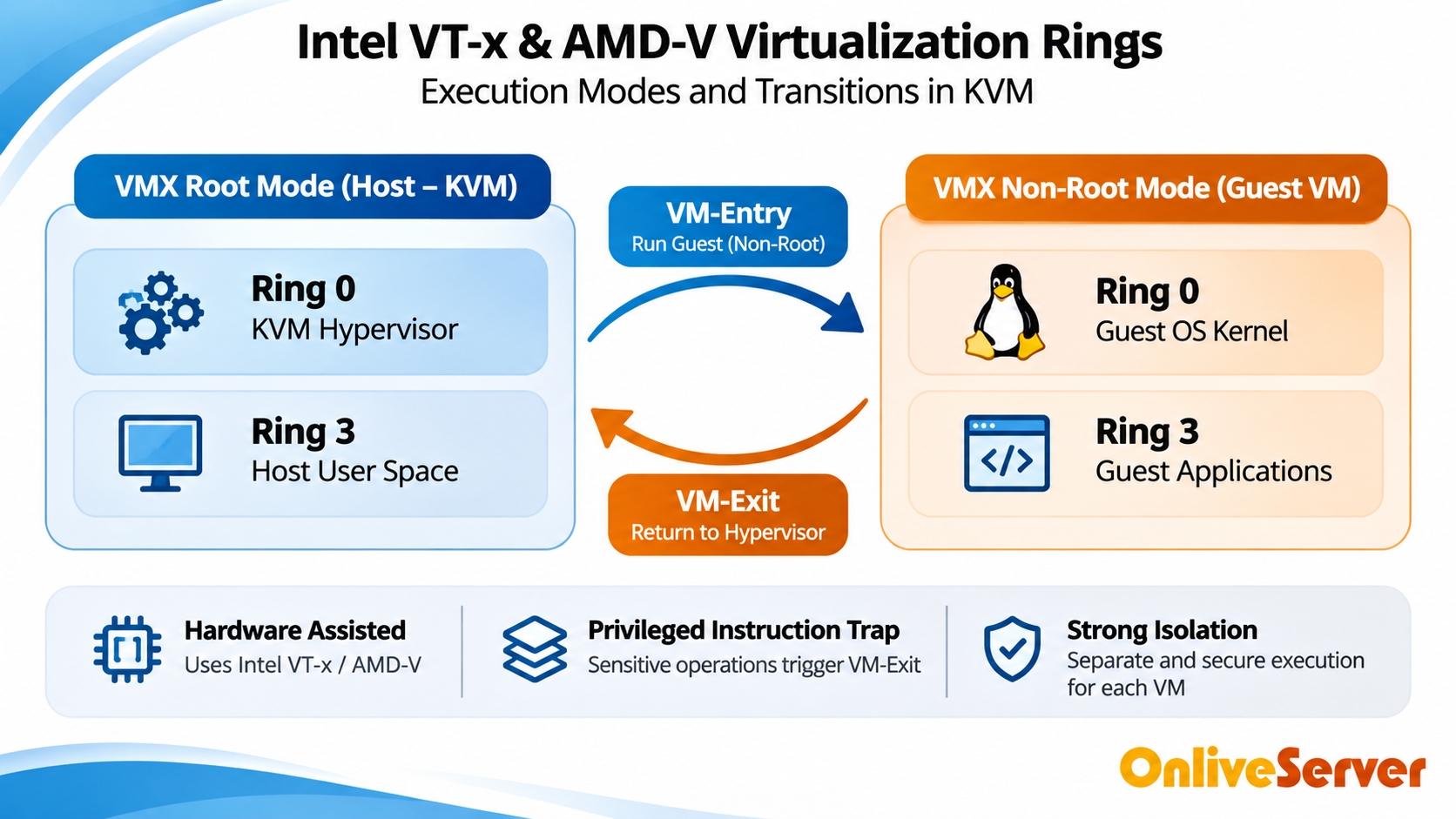
Docker and Podman make it easier to run applications in separate containers. But container isolation is different from virtual machine isolation.
A Linux container shares the host operating system's kernel. A KVM virtual machine runs its own guest kernel. This difference matters when hosting applications for multiple clients or managing workloads with different security requirements.
How Container Isolation Works
Docker and Podman use Linux kernel features to separate applications.
Linux Namespaces
Namespaces isolate parts of the operating system environment, including processes, network interfaces, mount points, and user identities.
For example, a process inside one container normally cannot see processes running in another container.
Control Groups (cgroups)
Cgroups control how system resources are allocated.
Administrators can use them to limit CPU and memory usage. This helps prevent one container from consuming all available resources, provided suitable limits are configured.
Shared Kernel Architecture
Containers on the same Linux host use the same kernel.
If the host kernel crashes, the containers depending on that kernel can stop working.
A serious kernel vulnerability may also create security risks across containers, although successful exploitation depends on the vulnerability and available protections.
Why KVM Provides a Different Isolation Boundary
KVM uses hardware-assisted virtualization to run separate virtual machines.
Each VM has its own guest operating system and kernel. Docker or Podman containers running inside one VM share that guest kernel rather than directly sharing the physical host's kernel.
This creates an additional isolation boundary between workloads in different virtual machines.
For example, a software agency can run one client's container applications in one VM and another client's applications in a separate VM.
The separation can reduce the impact of certain failures or security problems. It does not eliminate every risk, and the hypervisor still needs proper maintenance.
Rootless Podman and Container Security
Podman supports rootless containers, allowing applications to run without giving the container runtime full root privileges.
This can reduce risks associated with unnecessary administrative permissions.
Docker also supports rootless operation, although its configuration and architecture differ from Podman.
Neither tool automatically makes an application secure. Administrators still need to manage permissions, container images, networking, and software updates.
Storage and Resource Management
Overlay Storage
Docker commonly uses the OverlayFS-based overlay2 storage driver on supported Linux systems.
It allows containers to share image layers while keeping writable changes separate.
Actual storage performance depends on the filesystem, storage device, workload, and configuration. It should be measured rather than assumed.
Preventing Resource Starvation
Containers can affect neighboring applications if resource limits are missing.
For example, a database container that consumes excessive memory may leave too little memory for other services.
Administrators should configure suitable CPU and memory limits and monitor resource usage regularly.
KVM also supports resource allocation at the virtual machine level, creating another layer of control.
Practical Docker Security Checklist
Before deploying containers on a production VPS, check the following:
Keep the guest operating system and container runtime updated.
Avoid privileged containers unless absolutely necessary.
Use rootless containers where practical.
Set CPU and memory limits.
Restrict unnecessary network ports.
Avoid mounting sensitive host directories.
Protect access to the Docker socket.
Maintain backups of important application data.
Monitor container logs and resource usage.
These practices are useful on both virtual machines and physical servers.
Do Docker and Podman Always Need KVM?
No. Docker and Podman can run securely on properly configured physical servers and other supported environments.
Some container-based VPS services also support nested container workloads, depending on the host kernel, permissions, and provider configuration.
KVM becomes especially useful when administrators need independent guest kernel control, stronger separation between customer workloads, or greater flexibility in system configuration.
For additional setup information, see KVM VPS for Docker.
Conclusion
Container isolation is useful, but it is not identical to virtual machine isolation.
Namespaces and cgroups separate processes and manage resources, while KVM provides an additional virtualization boundary.
For production systems, the right architecture depends on application requirements, trust boundaries, workload size, and the level of system control needed.
Good security still requires regular updates, restricted permissions, resource limits, and proper monitoring.