
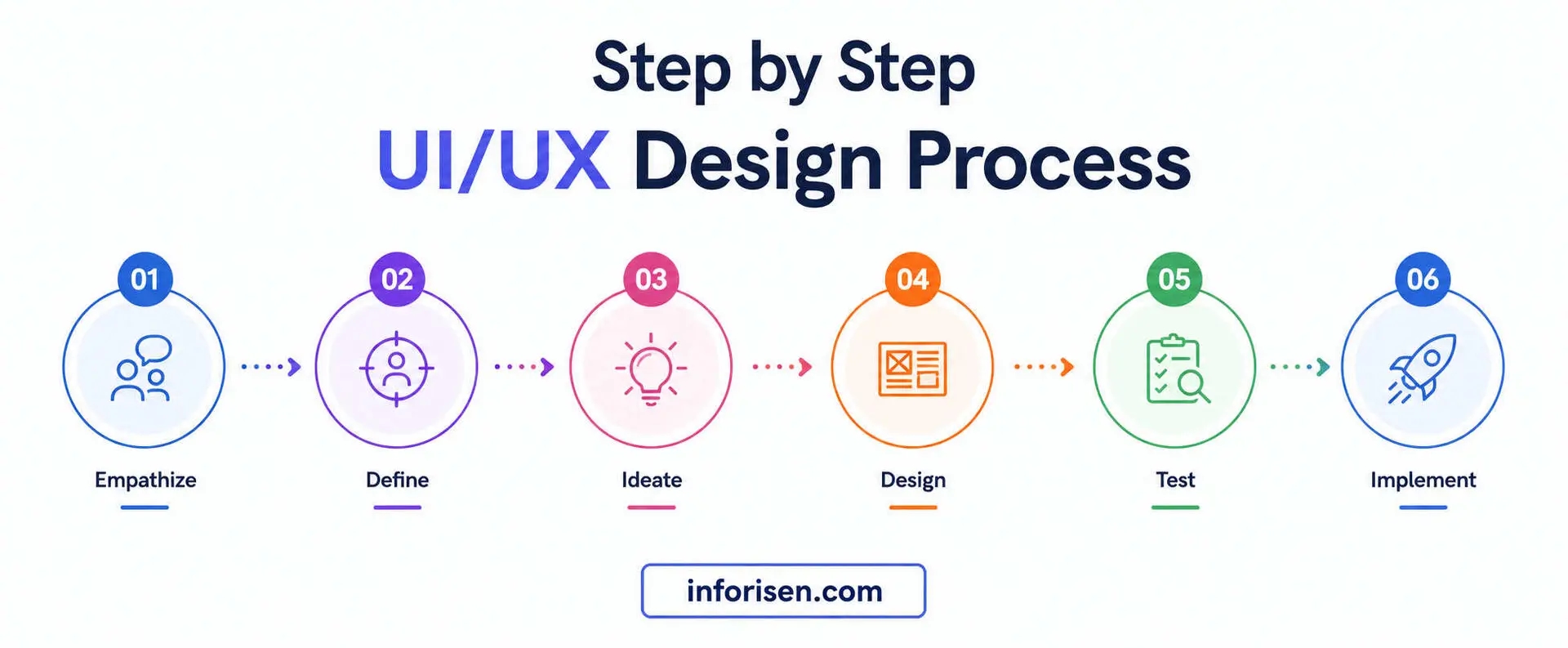
The step-by-step UI/UX design process for beginners starts with understanding users and their problems before designing attractive screens. A professional design process helps turn an idea into a website, app, dashboard, or software product that is easy to understand and use.
Beginners often make the mistake of opening Figma and immediately designing colors, buttons, and layouts. But good UI/UX design is not simply about making screens look attractive. It involves research, planning, information architecture, user flows, wireframes, visual design, prototyping, testing, and continuous improvement.
This guide explains each stage of the UI/UX design process so beginners can understand what happens from the initial idea to the final developer handoff.
What Is the UI/UX Design Process?
The UI/UX design process is a structured workflow used to understand user needs, solve usability problems, organize information, and create digital interfaces.
UI stands for User Interface. It focuses on the visual and interactive elements of a digital product, including:
Colors
Typography
Buttons
Icons
Forms
Navigation
Spacing
Layouts
Components
Visual hierarchy
UX stands for User Experience. It focuses on how users interact with a product and whether they can complete their goals easily.
UX may involve:
User research
Personas
User journeys
Information architecture
User flows
Wireframes
Prototypes
Usability testing
The two areas work together, but UX generally needs to establish the structure and experience before UI styling is finalized.
For a clearer explanation, you can read Difference Between UI and UX Design With Example.
Why Should Beginners Follow a UI/UX Design Process?
Without a structured process, designers can spend significant time polishing an interface before discovering that the underlying user journey is confusing.
A clear workflow helps you:
Understand the real user problem
Define project goals
Organize content
Create logical navigation
Reduce unnecessary features
Identify usability problems early
Improve communication with developers
Reduce expensive revisions
Build stronger portfolio case studies
Create more consistent interfaces
A process also gives designers a reason behind every major design decision.
Instead of saying, “I chose this layout because it looks good,” you should eventually be able to explain how the layout supports user needs and business objectives.
The 8 Stages of the UI/UX Design Process
A practical UI/UX workflow can be divided into eight major stages:
Define the problem and project goals
Conduct user research
Create personas and user journeys
Build information architecture and user flows
Create wireframes
Design the user interface
Build and test prototypes
Refine the design and prepare developer handoff
These stages are not always completely linear. Testing may reveal a problem that requires you to return to the wireframe or user-flow stage.
Stage 1: Define the Project and User Problem
Before opening a design tool, understand what you are designing and why.
Start with a project brief that defines:
Product or website type
Target audience
Business goals
User goals
Main problems
Project scope
Required features
Technical limitations
Budget
Timeline
Success criteria
For example, imagine you are designing an appointment-booking website.
The business goal may be:
Reduce the number of phone calls required for appointment scheduling.
The user goal may be:
Find an available appointment and book it quickly.
These goals should influence the entire design process.
Questions to Ask Before Designing
Ask:
Who will use this product?
What problem are they experiencing?
What do users currently do to solve the problem?
What action should users complete?
Which features are essential?
Which devices will users use?
What information do users need?
What could make the experience difficult?
How will success be measured?
A clear problem statement gives the design team a foundation for the next stages.
Stage 2: Conduct User Research
User research helps you understand what people actually need instead of designing around assumptions.
You do not necessarily need a large research budget.
Beginners can use simple methods such as:
User interviews
Surveys
Competitor analysis
Customer reviews
Support conversations
Analytics
Observational research
Existing user feedback
Basic usability testing
What Should You Learn From Research?
Try to identify:
User goals
Pain points
Frustrations
Common questions
Existing behaviors
Expectations
Device preferences
Decision-making patterns
For example, if you are designing an ecommerce checkout, users might complain about:
Too many form fields
Unexpected shipping costs
Complicated payment steps
Lack of order information
Confusing error messages
These findings can directly influence the UX design.
Why Competitor Research Matters
Competitor research can reveal common design patterns and potential weaknesses.
Study:
Navigation
Homepage structure
Search
Filters
Checkout
Forms
Mobile experience
Calls to action
Content organization
However, do not simply copy competitors.
Understand why a particular pattern works and determine whether it makes sense for your own audience.
Stage 3: Create User Personas
A persona represents an important user group and summarizes their needs, goals, behaviors, and challenges.
A basic persona can include:
Name or profile label
Age range
Occupation
Goals
Frustrations
Technical familiarity
Preferred devices
Main motivations
For example:
Persona: Busy Small-Business Owner
Goal: Manage website orders quickly.
Problem: Has little time to navigate complicated dashboards.
Preference: Simple navigation and fast access to important information.
You do not need dozens of fictional personas.
A small number of evidence-based user profiles is generally more useful than creating many assumptions.
Stage 4: Create the User Journey Map
A user journey map shows how a person moves through an experience while trying to accomplish a goal.
For an online course platform, the journey might look like:
Discover Course → Compare Courses → Read Details → Register → Pay → Start Course → Track Progress
At each stage, consider:
User action
User goal
Questions
Emotions
Pain points
Potential obstacles
Opportunities
This helps designers identify problems that may not be obvious when looking at individual screens.
Example
Imagine a user wants to book a hotel.
The journey might be:
Search → Filter → Compare → View Room → Select Date → Enter Details → Pay → Receive Confirmation
If users frequently abandon the process during payment, the UX team should investigate why.
The problem may not be the payment screen itself. It could be unexpected fees, too many fields, poor trust signals, or confusing navigation earlier in the journey.
Stage 5: Plan Information Architecture
Information architecture determines how content and features are organized.
It answers questions such as:
What pages should exist?
How should pages be grouped?
What belongs in the main navigation?
Which content should be nested?
How should users move between sections?
What should users see first?
For a business website, the structure might look like:
Home
→ Services
→ About
→ Portfolio
→ Blog
→ Contact
For a SaaS product, the architecture could be more complex:
Dashboard
→ Analytics
→ Projects
→ Team
→ Billing
→ Settings
Good information architecture reduces cognitive load and helps users find what they need.
Stage 6: Create User Flows
A user flow describes the steps a user takes to complete a specific task.
For example, an ecommerce purchase flow could be:
Homepage → Product → Add to Cart → Cart → Checkout → Payment → Confirmation
A user flow should focus on the user's goal rather than simply listing every available screen.
What Makes a Good User Flow?
A good user flow should be:
Logical
Simple
Predictable
Easy to navigate
Focused on one goal
Free from unnecessary steps
If a user needs ten steps to complete an action that could reasonably take four, there may be a UX problem.
Stage 7: Create Low-Fidelity Wireframes
Wireframes are basic visual representations of a page or screen.
They focus on structure rather than visual decoration.
A wireframe may show:
Header
Navigation
Content blocks
Images
Buttons
Forms
Cards
Sidebars
Footer
Main actions
At this stage, you generally do not need polished colors, illustrations, or detailed graphics.
Why Wireframes Matter
Wireframes allow designers and clients to evaluate the structure before spending time on visual design.
It is much easier to move a button or section in a simple wireframe than to redesign a finished interface.
Tools for Wireframing
Beginners can use:
Figma
FigJam
Balsamiq
Pen and paper
Whiteboards
Other prototyping tools
The tool is less important than the thinking behind the layout.
Stage 8: Design the User Interface
Once the structure and user flow are approved, the design can move into the UI stage.
Now you can work on:
Color palette
Typography
Buttons
Icons
Images
Cards
Forms
Navigation
Spacing
Components
Visual hierarchy
Responsive layouts
The goal is not simply to make the interface attractive.
Every visual choice should support usability.
Important UI Design Principles
Visual Hierarchy
Important information should stand out from secondary information.
Consistency
Buttons, forms, navigation, colors, spacing, and components should follow consistent patterns.
Contrast
Text and interactive elements should remain easy to see.
Alignment
Elements should follow a clear visual structure.
Proximity
Related elements should appear visually connected.
Accessibility
The interface should be usable by as many people as reasonably possible.
Inforisen's UI/UX Design Services follow a structured approach that includes discovery, research, wireframes, interface design, testing, and handoff.
Stage 9: Build an Interactive Prototype
A prototype connects screens so users can experience the product before development.
For example, instead of showing a static checkout screen, you can allow a tester to:
Product → Add to Cart → Checkout → Payment → Confirmation
This makes it easier to identify problems in the complete experience.
What Should You Test in a Prototype?
Focus on important tasks such as:
Registration
Login
Search
Navigation
Product selection
Checkout
Form completion
Booking
Payment
Account management
You do not need to prototype every possible interaction.
Start with the most important user journeys.
Stage 10: Conduct Usability Testing
Usability testing helps determine whether real or representative users can complete important tasks without unnecessary confusion.
Give users a task rather than telling them exactly what to click.
For example:
Instead of:
“Click Products and select the first item.”
Ask:
“You want to buy a pair of running shoes. Show me how you would do that.”
Then observe what happens.
Look for:
Hesitation
Misunderstanding
Wrong clicks
Navigation problems
Unclear labels
Abandoned tasks
Repeated actions
Questions
How Many Users Should Beginners Test?
You do not always need a huge testing group.
For an early prototype, even a small number of relevant participants can reveal important usability problems.
The key is to identify patterns rather than treating every individual comment as a mandatory design instruction.
Stage 11: Analyze Feedback and Improve the Design
Testing is useful only if you act on what you learn.
Group findings based on severity.
For example:
Critical: Users cannot complete checkout.
High: Users cannot find the search feature.
Medium: Users misunderstand a button label.
Low: Minor spacing inconsistency.
Fix problems based on their effect on the user experience.
Do not automatically implement every suggestion.
A user may say:
“Move this button here.”
But the underlying problem may actually be that the button label is unclear.
Identify the root problem before deciding on the solution.
Stage 12: Prepare the Developer Handoff
Once the design has been tested and approved, it needs to be prepared for development.
A proper handoff may include:
Final UI screens
Design components
Typography specifications
Color values
Spacing rules
Responsive behavior
Interaction states
Hover states
Loading states
Error states
Empty states
Prototype links
Assets
Design documentation
The developer should understand how the interface is expected to behave.
Good communication at this stage can prevent unnecessary back-and-forth during development.
If the project also involves website development, Inforisen's Website Design & Development service can connect the design process with the development stage.
Responsive Design Should Be Considered Early
Responsive design should not be treated as an afterthought.
A layout that looks excellent on a desktop may become difficult to use on a smartphone.
Consider how these elements change across screen sizes:
Navigation
Images
Cards
Tables
Forms
Buttons
Typography
Spacing
Sidebars
Content columns
Design for the actual devices your audience uses.
A mobile layout may require different interaction patterns rather than simply shrinking the desktop version.
Accessibility in UI/UX Design
Accessibility helps make digital products usable by people with different abilities and needs.
Important considerations include:
Sufficient color contrast
Keyboard navigation
Clear form labels
Meaningful error messages
Descriptive links
Readable typography
Focus states
Alternative text for meaningful images
Logical heading structure
Accessibility should be considered during design rather than added after development.
How UI/UX Design Can Affect SEO
UI/UX and SEO are different disciplines, but they can influence each other.
A good interface can help users:
Navigate content
Find important pages
Understand information
Complete actions
Stay engaged
Website structure, mobile usability, page experience, navigation, and content presentation can all affect how effectively a website serves visitors.
For more information, read How UI/UX Design Affects SEO and Website Ranking.
If you are building a website from the ground up, SEO should also be considered during development rather than added at the end. Inforisen provides SEO Services alongside its design and development capabilities.
Common UI/UX Mistakes Beginners Should Avoid
Starting With Colors Instead of Problems
A beautiful interface cannot fix a poorly defined user problem.
Skipping User Research
Designing entirely from assumptions can produce an experience that does not match real user expectations.
Designing Without User Flows
Without a clear flow, screens can become disconnected and difficult to navigate.
Creating High-Fidelity Screens Too Early
Detailed designs take more time to change. Wireframe first, then refine.
Ignoring Mobile Users
A desktop-first design should not automatically become the mobile experience.
Testing Only After Development
Early testing is cheaper because changes can be made before development.
Copying Competitors
Competitor research should provide insight, not become a reason to duplicate another product.
Ignoring Accessibility
Accessibility problems can prevent users from completing important tasks.
Treating Feedback as Personal Criticism
Design testing is about improving the product, not defending the designer's decisions.
How to Start UI/UX Design as a Beginner
If you are learning UI/UX, do not begin with an enormous project.
Choose something small, such as:
Restaurant booking website
Habit tracker
Simple ecommerce checkout
Course registration system
Personal finance dashboard
Appointment booking app
Library search interface
Small business website
Then complete the entire process:
Problem → Research → Persona → Journey → Information Architecture → User Flow → Wireframe → UI → Prototype → Testing → Improvement → Handoff
Document every stage.
This gives you a much stronger portfolio case study than simply displaying polished screenshots.
How to Build a Strong UI/UX Portfolio
A portfolio should show how you think, not only what your final designs look like.
For each case study, explain:
The problem
Target users
Research
User pain points
Project goals
User journey
Information architecture
Wireframes
Design decisions
Prototype
Testing
Feedback
Improvements
Final result
This helps potential clients or employers understand your design process.
What Is the Difference Between UI/UX Design and Web Development?
UI/UX design focuses on the experience and interface.
Web development focuses on implementing that design using technology.
For example:
UI/UX Designer: Determines how the checkout should look and work.
Developer: Builds the functional checkout system.
Both roles need to communicate effectively.
This is why developer handoff and technical awareness are important parts of professional UI/UX work.
For projects requiring both design and development, Inforisen offers Software Development as well as website development solutions.
Benefits of Following a Professional UI/UX Process
A structured process can provide several business benefits.
Better Usability
Users can complete tasks more easily.
Fewer Development Revisions
Problems are identified before they become expensive development changes.
Better Conversion Opportunities
Clear journeys can make important actions easier to complete.
Stronger Customer Trust
Consistent and professional interfaces can create a more reliable experience.
Better Product Decisions
Research and testing replace assumptions with evidence.
Easier Development
Well-prepared designs give developers clearer requirements.
For a broader look at the business impact, read 10 Key Business Benefits of Professional UI/UX Design Services.
When Should You Hire a UI/UX Design Agency?
A professional UI/UX agency can be useful when:
The product is complex
You need user research
The project has many screens
Conversion is important
You need a complete design system
Your internal team lacks UX expertise
The product requires accessibility considerations
You need design and development collaboration
When comparing agencies, look beyond attractive portfolios.
Check their:
Research process
UX methodology
Design systems
Accessibility knowledge
Testing process
Communication
Developer handoff
Industry experience
Support after delivery
You can read How to Choose the Best UI/UX Design Services for a more detailed comparison framework.
Why Choose Inforisen for UI/UX Design?
Inforisen follows a structured UI/UX process that starts with understanding business goals, users, competitors, and project requirements.
The process can include:
Discovery → Research → Wireframing → Interface Design → Testing → Handoff
This approach helps ensure that design decisions are connected to actual user and business needs rather than visual trends alone.
Inforisen also provides broader digital services including UI/UX Design, Website Design & Development, Software Development, SEO Services, and other digital solutions.
This can be useful for businesses that want design, development, and digital growth to work together.
Final Thoughts
The step-by-step UI/UX design process for beginners is not about learning how to make beautiful screens first.
It starts with understanding the problem.
A strong workflow moves from project definition and user research to personas, journey mapping, information architecture, user flows, wireframes, UI design, prototyping, usability testing, refinement, and developer handoff.
Beginners should start with small projects and document every decision.
The most valuable UI/UX skill is not knowing where every button should go. It is learning how to understand users, identify problems, test assumptions, and create interfaces that make important tasks easier.
Frequently Asked Questions
What is the UI/UX design process?
The UI/UX design process is a structured workflow for understanding users, defining problems, planning journeys, organizing information, creating wireframes, designing interfaces, building prototypes, testing usability, and preparing designs for development.
What are the main steps in UI/UX design?
The main steps include defining the problem, conducting user research, creating personas, mapping user journeys, planning information architecture, creating user flows, wireframing, designing the interface, prototyping, testing, refining, and developer handoff.
Can beginners learn UI/UX design without coding?
Yes. Beginners can learn research, wireframing, prototyping, visual design, information architecture, and usability testing without knowing how to code. However, basic knowledge of HTML, CSS, responsive design, and development constraints can improve collaboration with developers.
What tool should beginners use for UI/UX design?
Figma is a popular choice because it supports wireframing, interface design, components, collaboration, and prototyping. However, learning the design process is more important than mastering a particular tool.
What should I design as my first UI/UX project?
Start with a small project such as a restaurant booking flow, appointment system, ecommerce checkout, habit tracker, library search interface, or personal finance dashboard.
What is the difference between a wireframe and a prototype?
A wireframe shows the basic structure and layout of a screen. A prototype connects screens and simulates interactions so users can test the experience before development.
Why is usability testing important?
Usability testing reveals where real users become confused, make mistakes, hesitate, or fail to complete important tasks. It helps designers improve the product based on evidence instead of assumptions.
How important is user research in UI/UX?
User research is one of the most important stages because it helps designers understand real needs, behaviors, frustrations, and expectations before creating the interface.
Should UI or UX come first?
UX planning generally comes first because designers need to understand users, structure information, and define flows before finalizing visual interface decisions. In practice, UI and UX often influence each other throughout the project.
How long does the UI/UX design process take?
The timeline depends on project complexity, research requirements, number of screens, testing rounds, team size, and revisions. A small website can take days or weeks, while a complex software product may require continuous UX work.
How does UI/UX affect SEO?
Good UI/UX can make websites easier to navigate, understand, and use across devices. Elements such as mobile usability, navigation, page experience, and content organization can support a better overall website experience.
Is UI/UX design a good career for beginners?
UI/UX can be a strong career path for people who enjoy problem-solving, research, visual communication, and understanding user behavior. Building practical case studies is generally more valuable than learning design tools alone.