Introduction
Transitioning from an IBM/HCL Lotus Notes environment to Microsoft Outlook is a huge technical and financial challenge for enterprises. The legacy Domino server infrastructure, solely for the purpose of accessing old archive data, costs IT budget dollars, is a security risk, is a hindrance to regulatory discovery, and is incompatible with modern formats.
Here is a case study of how an Enterprise IT team eliminated legacy server overhead, secured strict chain-of-custody compliance, and did direct conversion of 10+ years of archived email data contained in 250+ large NSF files to indexed MSG files with WholeClear NSF to MSG Converter.
The IBM Notes Archiving & Compliance Challenge - Costs, Risks
With strict compliance requirements, the company had rolled out Microsoft Outlook across its regional offices, allowing more than 10 years of historic communications to be instantly searchable for legal hold and regulatory auditing.
Challenges:
Outlook does not have the support to open Lotus Notes NSF files directly.
Database bloat and maintenance costs: The archive contained more than 250 large NSF files totalling hundreds of gigabytes. Further, continuing to run legacy Domino servers just for archive access was costing money in unnecessary software licensing and infrastructure.
Chain of Custody & Audit Risks: Email containing sensitive information in financial attachment form, embedded spreadsheet, and complete header information (To, From, CC, BCC, Send/Receive Dates).
Folder Hierarchy Requirements: The folder structures of the mailbox had to be retained so as not to retrain the employees.
Operational Deadlines: Manual export using Lotus Notes native tools was too slow, inefficient and error-prone (silent data loss).
Business Impact & ROI Breakdown
By replacing legacy server infrastructure with an automated conversion tool, the organization transformed its archiving strategy:
Metric / Aspect | Legacy IBM Notes Environment | Post-Migration MSG Environment |
Infrastructure Costs | High cost of Domino licenses every year | Free ($0; Legacy servers fully decommissioned) |
Search & eDiscovery | Slow search queries that need special access to Notes | Immediate search using Windows Search & Microsoft 365 |
Storage Flexibility | Inflexible database files that can be corrupted easily | Modular MSG files: simple transfer to hierarchical cold storage |
Data Integrity | Possibility of corruption in large legacy databases | 100% retention of headers, embedded media & attachments |
User Accessibility | Limited to computers with Lotus Notes installed | Complete compatibility with all current MS Outlook clients |
Solution: Use WholeClear NSF to MSG Converter Tool to
To avoid migration bottlenecks and downtime and retire legacy infrastructure, the IT team decided on WholeClear NSF to MSG Converter.
WholeClear NSF to MSG Converter – Features:
No File Size Limitations: Can work with multi-gigabyte NSF database files with no performance degradation or system crash.
Conversion from MSG to Embedded Attachments: Extract embedded attachments such as PDF files, spreadsheets, and images from MSG files with complete accuracy and rich text formatting.
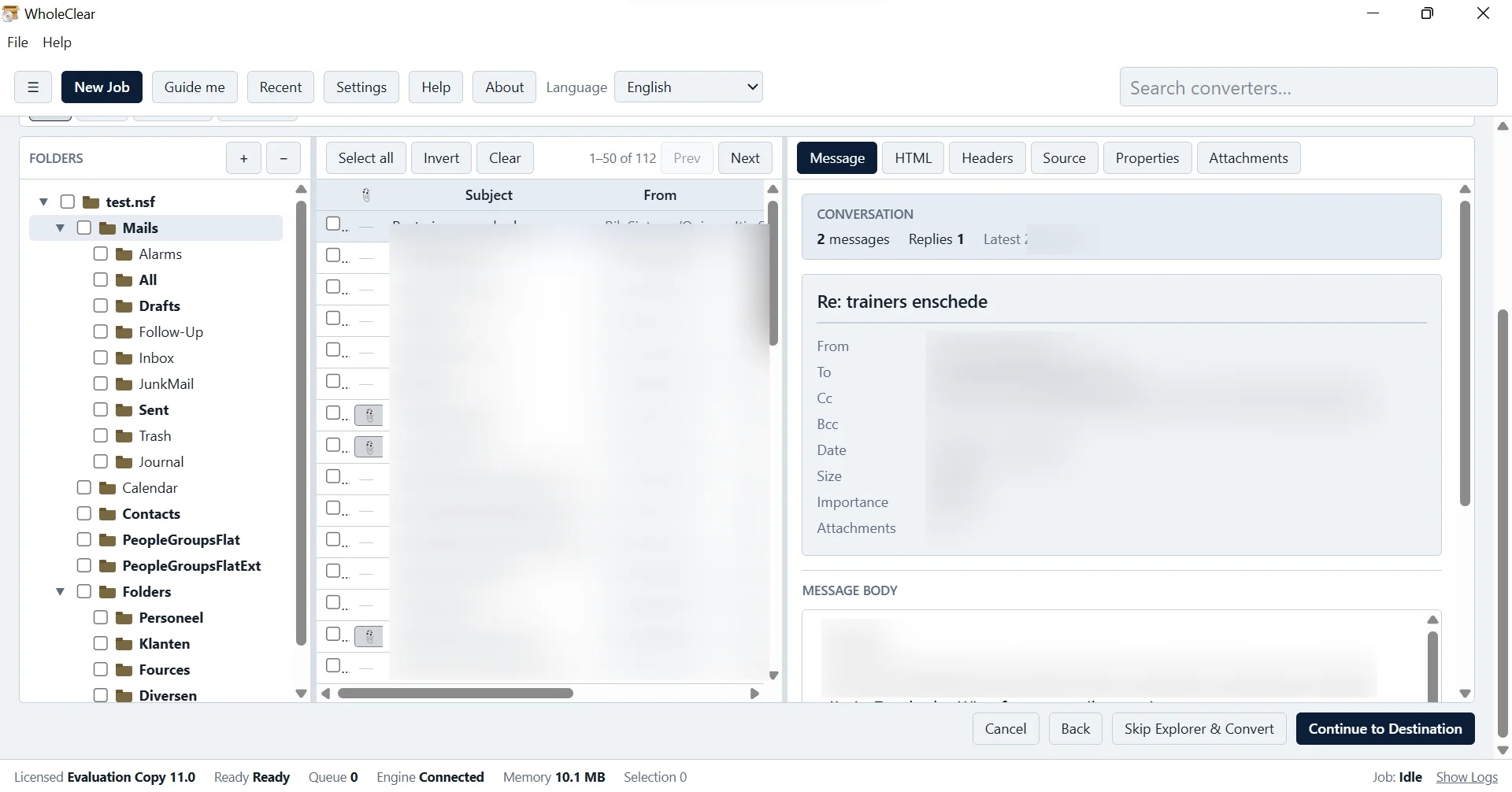
Metadata & Folder Structure Preservation: Keeps all email header properties as well as complex internal folder structures intact.
eDiscovery & Cloud Ready: Export to a single MSG file for fast import in cloud archives, Microsoft 365, or local network search indexers.
Support All Outlook Versions: MSG files can be exported and are compatible with all versions of Microsoft Outlook (2019, 2016, 2013, 200,7 etc.) supported on all Windows OS.
Meet prerequisites: Using the installed Lotus Notes client allows for correct decryption and secure processing.
Migration & Audit Workflow - Details
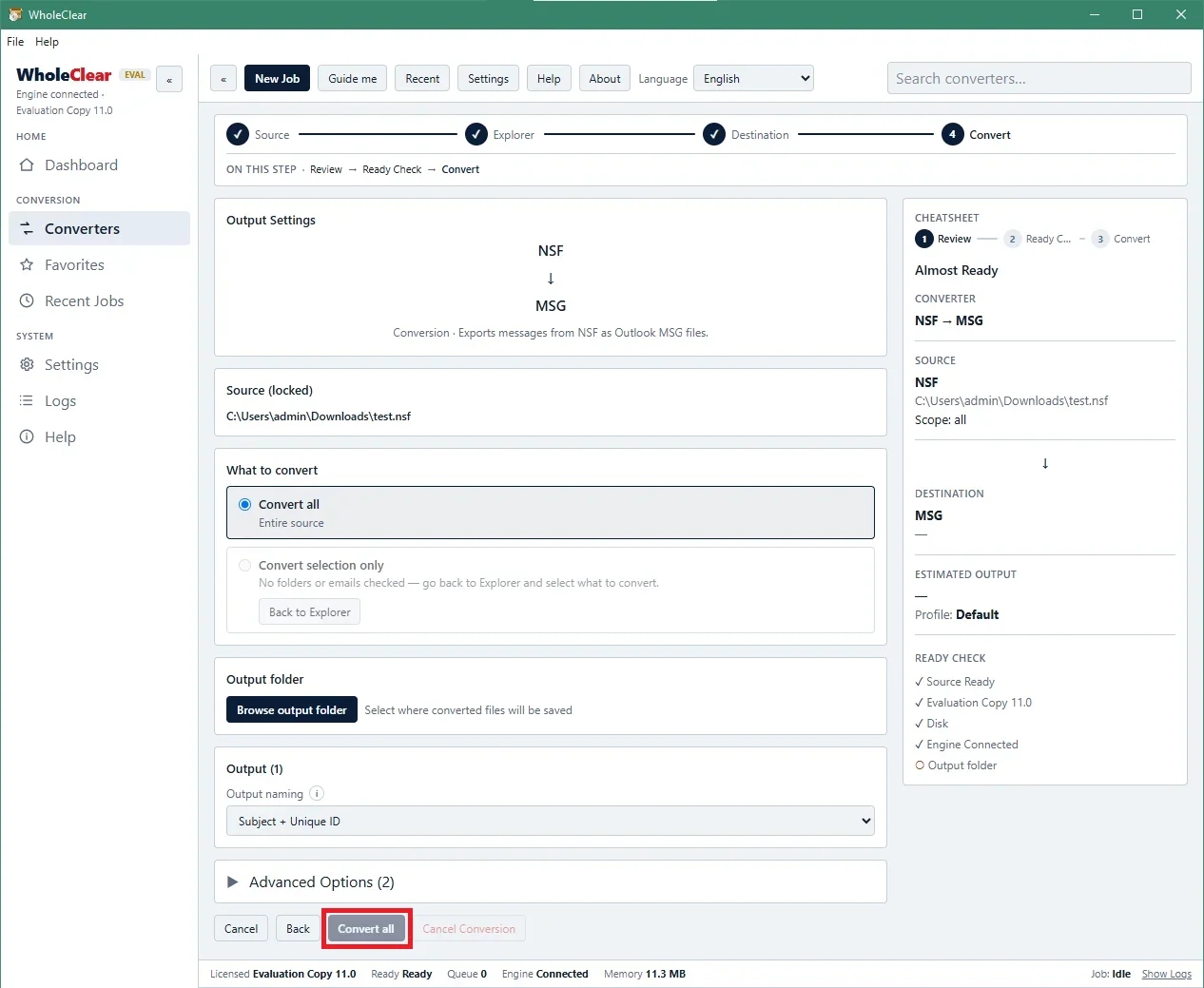
Download and Install WholeClear NSF to MSG Converter on a Windows Computer with the Lotus Notes Client.
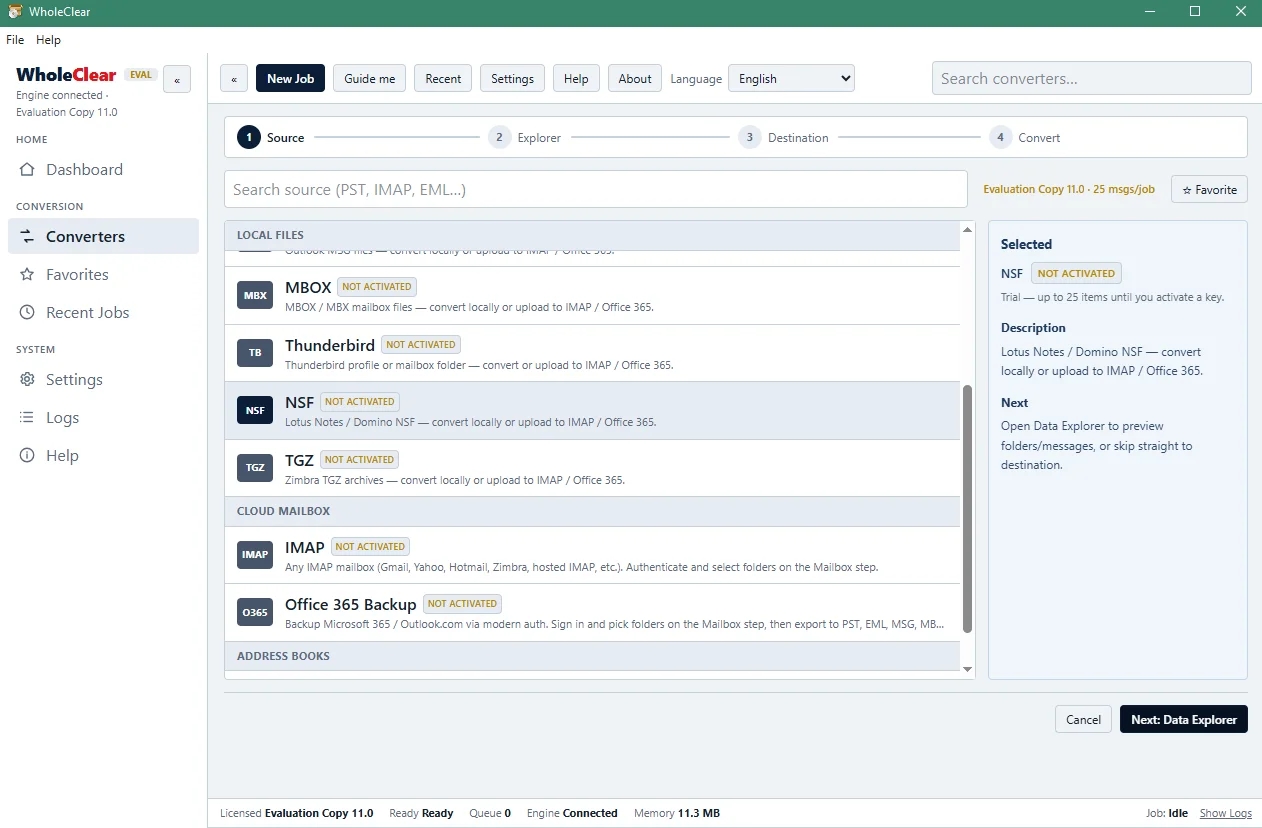
Open the target NSF file and locate the NSF file in the software interface.
Go to the destination folder on the computer or network drive to save the created MSG files.
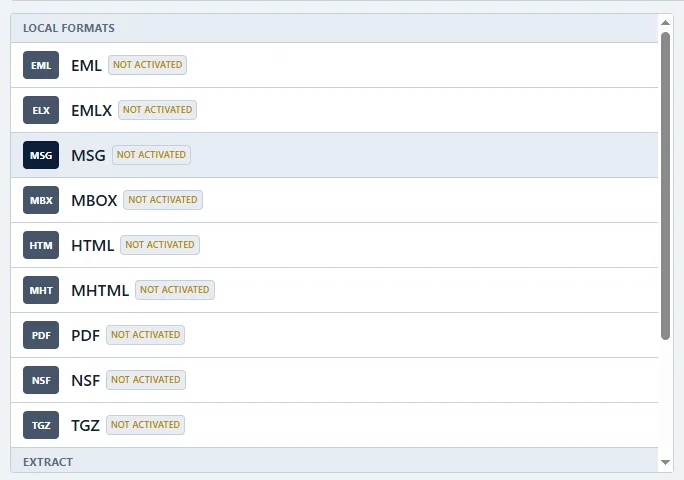
Click the Convert Now button to initiate the batch processing. Check some MSG files in Outlook for header metadata, attachments, and folder structures after conversion.
Key Results and Accomplishments
Decommissioning of servers: The removal of the historical archives allowed the team to immediately decommission the legacy Domino servers, saving on hardware and licensing costs.
100% Legal Hold Data Integrity – All financial attachments, inline images, and metadata properties were preserved to meet the most rigorous corporate governance requirements.
Affordable Cold Storage – We described how to extract MSG files from monolithic NSF databases for affordable storage tiering and faster enterprise eDiscovery.
No downtime for batch processing: Batch processing takes place in the background and does not impact the daily business.
Abstract
IBM Notes archives can be migrated to native Microsoft Outlook MSG format without any complexity or risk. The company leveraged the WholeClear NSF to MSG Converter to migrate 10+ years of critical email communication from 250+ NSF files to reduce infrastructure costs, maintain data integrity, and streamline legal discovery.
FAQ (Frequently Asked Questions)
Q1. Is it mandatory to install Lotus Notes to use WholeClear NSF to MSG Converter?
Yes. The Lotus Notes client must be installed on the machine to correctly interpret the proprietary encryption of NSF files and security rules.
Q2. Does the converter store e-mail attachments?
Yes, all embedded attachments, inline images, and meta header properties like To, From, CC, BCC, and dates are fully preserved in the converted MSG files.
Q3. Are there any file size limitations while converting large NSF archives?
No, there is no file size limitation for WholeClear NSF to MSG Converter. It easily converts NSF files of large capacity.
Q4. Is it possible to import converted MSG files to Microsoft 365 or Cloud?
Enterprise eDiscovery tools can index individual MSG files and upload them to cloud storage, or they can open them in desktop MS Outlook directly.
Q5. Which versions of MS Outlook are supported for the exported msg files?
All versions of MS Outlook, i.e., Outlook 2007, 2010, 2013, 20,16 and 201,9 support exported MSG files.
Q6. Is there a trial period?
Yes, WholeClear offers a free trial version for users to check the software interface and convert the first 25 items from each NSF file before purchasing the license.