Introduction
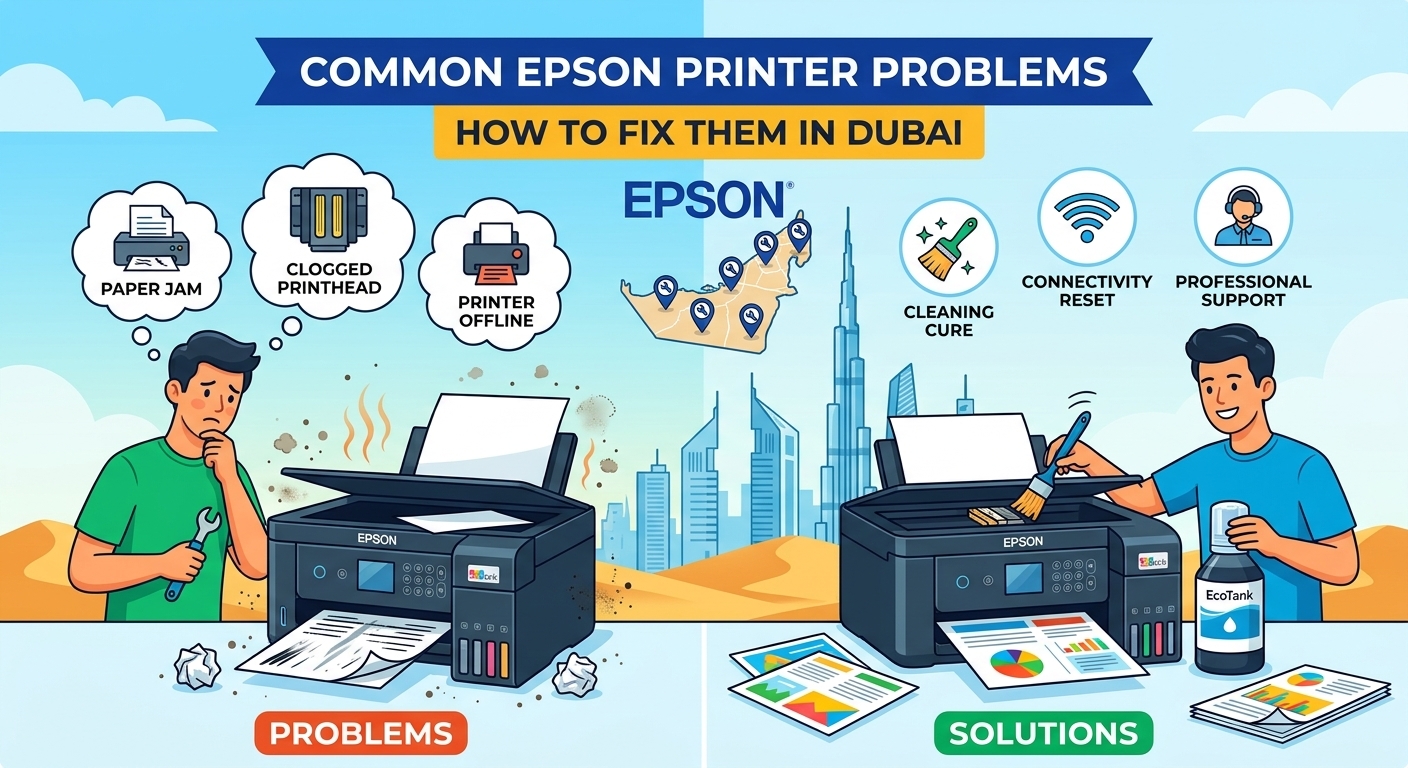
Epson printers are widely used in homes, offices, schools, and commercial environments because of their reliable printing performance and advanced features. However, like other electronic devices, they can develop technical problems over time. Common issues such as paper jams, poor print quality, connectivity failures, ink system errors, and printer malfunctions can interrupt daily activities. Understanding these problems and knowing how to resolve them can save time and prevent unnecessary repair expenses. For users experiencing recurring technical difficulties, professional Epson printer repair in Dubai can help restore printing performance and reduce downtime.
Whether you use an Epson EcoTank, WorkForce, Expression, SureColor, or L-Series printer, regular maintenance plays an important role in keeping the machine operational. Some problems can be resolved through simple troubleshooting, while others require professional inspection and replacement of damaged components.
This guide explains the most common Epson printer problems, their possible causes, and practical solutions that home users and businesses can follow.
1. Why Is Your Epson Printer Not Printing?
One of the most frustrating problems for printer users is when the machine receives a print command but does not produce any documents. Sometimes, the printer appears connected and ready, yet nothing happens after clicking the print button.
Several factors can cause this issue, including:
Incorrect printer settings.
Outdated or corrupted printer drivers.
Interrupted wireless connections.
Pending documents in the print queue.
Empty ink cartridges or ink supply problems.
Internal hardware errors.
How to fix it:
Start by checking whether the printer is powered on and properly connected to your computer. Make sure the correct Epson printer is selected as the default printing device.
Next, open the print queue and remove any pending documents that might be preventing new printing commands. Restart both the printer and computer before trying again.
If the printer still does not respond, reinstalling or updating the printer driver may help. However, if the machine displays persistent error messages or makes unusual sounds, professional inspection may be necessary.
2. How to Fix Poor Epson Printer Print Quality
Print quality problems can affect the appearance of business documents, photographs, invoices, and other important materials. Epson printers may produce faded text, horizontal lines, blurry images, or uneven colours when certain components are not functioning correctly.
Some common reasons include:
Clogged printhead nozzles.
Low or incompatible ink.
Incorrect paper settings.
Dirty printing components.
Improper printhead alignment.
Extended periods without using the printer.
Possible solutions:
Epson printers generally include maintenance options that allow users to clean printheads and check nozzle performance.
You can access the printer maintenance settings through your computer or the printer control panel. Run a nozzle check first to identify missing colours or broken lines. If necessary, perform a printhead cleaning cycle.
Avoid repeating cleaning cycles excessively because they consume ink. If the problem continues after normal maintenance, the printhead or ink delivery system may require professional attention.
For businesses that depend on consistent document quality, resolving print quality issues early can prevent wasted paper and ink.
3. What Causes Frequent Paper Jams in Epson Printers?
Paper jams are another common problem experienced by Epson printer owners. A jam can occur when paper becomes stuck inside the feeding mechanism or fails to move through the printing path correctly.
Possible causes include:
Incorrect paper loading.
Using damaged or folded paper.
Overfilling the paper tray.
Foreign objects inside the printer.
Worn paper pickup rollers.
Dust accumulation around the feeding mechanism.
How to prevent paper jams:
Always use paper that matches the specifications recommended for your Epson printer. Make sure the sheets are properly aligned before placing them inside the tray.
Avoid loading more paper than the tray can hold. If a paper jam occurs, follow the manufacturer's instructions to remove the paper carefully.
Never pull stuck paper forcefully because doing so may damage internal rollers or leave small paper fragments inside the machine.
If paper jams happen repeatedly despite correct loading, a technician should inspect the paper feeding mechanism.
4. Why Is Your Epson Printer Showing an Error Message?
Epson printers use error notifications to inform users about technical problems that require attention. These messages can relate to ink levels, paper feeding, communication failures, internal components, or maintenance requirements.
Some errors are temporary, while others indicate a more serious hardware issue.
Common causes include:
Communication problems between devices.
Incorrect printer configuration.
Ink system malfunctions.
Paper feed sensor problems.
Maintenance requirements.
Internal component failures.
What should you do?
First, read the error message displayed on the printer screen or computer. Restarting the printer may resolve temporary communication errors.
Check the paper tray, ink supply, and printer connections. If the error remains, consult the printer's user manual to understand the specific notification.
Avoid resetting internal components without understanding the cause of the problem. Incorrect troubleshooting can sometimes make the situation worse.
When an error continues to appear, a qualified technician can examine the printer, identify the underlying fault, and recommend an appropriate repair.
5. How to Resolve Epson Printer WiFi and Connectivity Problems
Wireless printing makes it easier for multiple users to access a printer without connecting individual cables. However, network problems can prevent Epson printers from communicating with computers, laptops, and mobile devices.
Connectivity issues are particularly inconvenient in offices where several employees depend on the same printing equipment.
Common reasons include:
Router or internet connection problems.
Printer connected to the wrong WiFi network.
Incorrect network passwords.
Outdated printer software.
Computer and printer connected to different networks.
Temporary wireless communication failures.
Steps to troubleshoot connectivity:
Restart your wireless router and Epson printer.
Check whether the printer is connected to the correct WiFi network.
Confirm that your computer uses the same network.
Verify the printer's wireless settings.
Update the printer driver if necessary.
Try printing a network status report if your model supports it.
If the wireless connection repeatedly disconnects, the issue may involve network configuration or the printer's internal wireless hardware.
6. What Should You Do When Your Epson Printer Is Printing Slowly?
Slow printing can affect productivity, especially in offices that regularly produce large documents, reports, and invoices.
An Epson printer may print slowly because of incorrect settings, large image files, communication delays, or outdated drivers.
Some common reasons include:
High-quality printing mode.
Large document sizes.
Weak wireless connectivity.
Outdated printer drivers.
Background applications using system resources.
Complex graphics and image processing.
Practical solutions:
Check the printer settings and select standard or draft quality when high-resolution printing is unnecessary.
If you are printing large files, consider dividing them into smaller documents. You can also try connecting the printer directly to your computer using a USB cable to determine whether wireless communication is causing delays.
Updating the printer driver may improve compatibility and printing performance.
If printing remains unusually slow, professional diagnostics can help identify hardware or software problems.
7. Why Does Your Epson Printer Produce Blank Pages?
Receiving completely blank pages after sending a print command can be confusing. This problem may occur even when the printer appears to be working normally.
Possible reasons include:
Empty ink tanks or cartridges.
Blocked printhead nozzles.
Incorrect cartridge installation.
Air inside the ink delivery system.
Improper printer settings.
Printhead malfunction.
How to resolve the problem:
Start by checking the ink levels through the printer settings. Make sure the cartridges or ink tanks are installed correctly.
Next, perform a nozzle check to determine whether ink is reaching the printhead. If some colours are missing, a cleaning cycle may help restore normal printing.
For Epson EcoTank models, check the ink levels and inspect the ink supply system according to the manufacturer's instructions.
If the printer continues producing blank pages, avoid performing unnecessary maintenance cycles. A professional technician can inspect the ink delivery system and printhead to determine whether repair or replacement is required.
8. What Causes Unusual Noises in Epson Printers?
Epson printers normally produce some operating sounds during printing. However, grinding, clicking, rattling, or unusually loud mechanical noises may indicate an internal problem.
These sounds can be caused by:
Damaged paper pickup rollers.
Foreign objects inside the printer.
Worn gears.
Incorrectly positioned components.
Problems with the carriage movement mechanism.
Mechanical wear caused by extended usage.
If you notice unusual noises, stop printing and inspect the accessible paper compartments for foreign objects.
Do not attempt to dismantle internal mechanical components without the necessary experience. Continuing to operate a printer with damaged gears or rollers may cause additional problems.
Professional inspection can help identify the source of the noise and prevent further damage.
9. How Often Should You Maintain an Epson Printer?
Regular maintenance is essential for keeping an Epson printer in good working condition. Dust, paper particles, dried ink, and normal component wear can gradually affect printing performance.
The frequency of maintenance depends on the printer model, printing volume, working environment, and type of documents being produced.
Here are some useful maintenance practices:
Clean the exterior regularly
Use a soft, dry cloth to remove dust from the printer's external surfaces. Avoid using excessive moisture around electronic components.
Check the printhead condition
Perform nozzle checks when you notice missing lines, faded colours, or inconsistent printing.
Use suitable paper
Low-quality or damaged paper can cause feeding problems and increase the chances of paper jams.
Monitor ink levels
Check ink levels regularly and refill or replace supplies when necessary.
Keep the printer software updated
Install compatible driver and software updates to maintain communication between the printer and connected devices.
Schedule professional inspections
Businesses with high printing requirements can benefit from periodic maintenance to identify developing problems before they cause significant downtime.
10. When Should You Hire a Professional Epson Printer Repair Technician in Dubai?
Basic troubleshooting can resolve several minor printing problems. However, some technical faults require specialist knowledge, diagnostic equipment, and replacement components.
You should consider professional assistance when:
The printer repeatedly displays the same error.
Print quality remains poor after cleaning.
Paper jams occur frequently.
The printer does not power on.
Internal components produce unusual sounds.
Ink delivery problems continue.
Wireless connectivity repeatedly fails.
The machine stops working during important business operations.
Attempting complex repairs without proper knowledge can damage sensitive printer components.
A professional technician can inspect the machine, identify the actual cause of the malfunction, and recommend the most suitable solution.
For users and businesses looking for dependable Epson printer repair in Dubai, choosing a service provider with experience in different Epson models can make the repair process easier.
11. Where Can You Find Reliable Epson Printer Repair in Dubai?
Finding a dependable printer repair company is important when your home or business depends on regular printing.
Raha Copier provides printer repair and maintenance services for customers in Dubai and Sharjah. The company works with different Epson printer models, including EcoTank, WorkForce, Expression, SureColor, Stylus, and L-Series machines.
With more than 15 years of industry experience, Raha Copier offers technical assistance for common printing problems as well as complex hardware issues.
Its services include:
Epson printer troubleshooting and diagnostics.
Printhead cleaning and repair.
Paper feed mechanism repair.
Ink system troubleshooting.
Printer connectivity support.
Software and driver configuration.
Replacement of faulty components.
Preventive printer maintenance.
One convenient aspect of the service is that customers can arrange a technician visit instead of transporting their printer to a repair shop for every issue.
Affordable Epson Printer Repair Charges
Repair costs depend on the printer model, type of malfunction, availability of replacement parts, and complexity of the required work.
Raha Copier advertises repair services starting from 49 AED, with a site visit fee of 49 AED. The diagnosis time is approximately 40 minutes, while the typical repair turnaround is 1–2 days, depending on the problem.
Customers can contact the company to explain their printer issue and receive information about the expected repair process and charges.
For service details, visit Raha Copier's Epson Printer Repair page.
Contact Details:
Dubai: +971 56 327 1614
Sharjah: +971 6 564 0057
Email: info@rahacopier.com
Website: https://rahacopier.com/
12. Which Epson Printer Models Can Be Repaired?
Epson manufactures different printer ranges for personal, professional, and commercial use. Each series has specific features and technical requirements.
A repair company should have experience with different models to provide appropriate troubleshooting and maintenance.
Some popular Epson printer series include:
Epson Printer Series | Popular Models |
|---|---|
EcoTank | ET-15000, ET-4750, ET-3760, ET-2700 |
WorkForce | WF Pro, EC-4020, EC-4030, EC-4040 |
Expression | XP Premium, XP Photo, XP Home |
SureColor | P Series, T Series, S Series, F Series |
Stylus | Stylus Pro, Photo, Color, Office |
Artisan | Artisan 1430, 837, 730, 725 |
L-Series | L120, L220, L360, L455, L565 |
The repair requirements vary depending on the model and the nature of the fault. For example, an EcoTank printer may require attention to its ink delivery system, while a WorkForce model may experience paper feeding, scanning, or connectivity problems.
Before arranging a repair, provide the technician with your printer's exact model number and a description of the issue. This information can help determine the appropriate diagnostic approach.
Frequently Asked Questions
1. How much does Epson printer repair cost in Dubai?
The repair cost depends on the type of fault, printer model, and replacement parts required. Raha Copier advertises repair services starting from 49 AED. Contact the company to confirm the applicable charges for your printer.
2. Can an Epson printer be repaired instead of replaced?
Yes. Many Epson printer problems, including paper jams, printhead issues, connectivity failures, and ink system malfunctions, can be repaired. A technician can inspect the printer and determine whether repair is more economical than replacement.
3. How long does Epson printer repair take?
The repair duration depends on the technical problem and availability of spare parts. Raha Copier provides an estimated turnaround of 1–2 days for many repairs, while initial diagnosis generally takes around 40 minutes.
4. Does Epson printer repair include doorstep service in Dubai?
Raha Copier offers technician visits for customers who need printer repair assistance at their location. Customers can contact the company to arrange an appointment and confirm service availability.
5. Why does my Epson printer keep showing an ink error?
Ink errors may occur because of low ink levels, incorrect cartridge installation, clogged nozzles, or problems with the ink delivery system. Checking ink levels and restarting the printer may help. Persistent errors require further inspection.
6. Can Epson EcoTank printers be repaired?
Yes. Epson EcoTank printers can experience problems involving ink tanks, printheads, paper feeding, connectivity, and electronic components. Experienced technicians can diagnose these problems and recommend appropriate repair solutions.
7. Is regular Epson printer maintenance necessary?
Regular maintenance helps prevent dust accumulation, paper feeding problems, and print quality issues. Businesses that use printers frequently should consider periodic inspections to maintain consistent performance.
Conclusion
Epson printers provide convenient printing solutions for homes, offices, and commercial environments, but technical problems can develop with regular use. Issues such as poor print quality, paper jams, blank pages, wireless connectivity failures, and unusual mechanical noises should be addressed before they affect productivity.
Basic troubleshooting can resolve some minor problems, but recurring errors and internal hardware faults require professional attention. Regular cleaning, suitable printing supplies, updated drivers, and timely maintenance can also help extend the working life of your equipment.
For customers in Dubai and Sharjah, Raha Copier offers Epson printer repair, troubleshooting, and maintenance services for different printer models. Getting the machine inspected by experienced technicians can help restore its performance and keep everyday printing activities running smoothly.