Ask a security team how many hostnames their company runs and you will usually get a confident number. Run a scan and the real number is almost always different. Teams launch campaign pages, spin up test servers, connect third-party services and rarely remove them afterward. Over time the DNS zone becomes a record of every decision anyone ever made, including the ones nobody remembers.A dns subdomain finder closes that gap. It reads public DNS data and related sources to list the hostnames tied to a domain, so you can compare reality against your asset inventory. You can try a free dns subdomain finder right now to see what a domain exposes, then use this guide to understand the results and turn them into a routine.
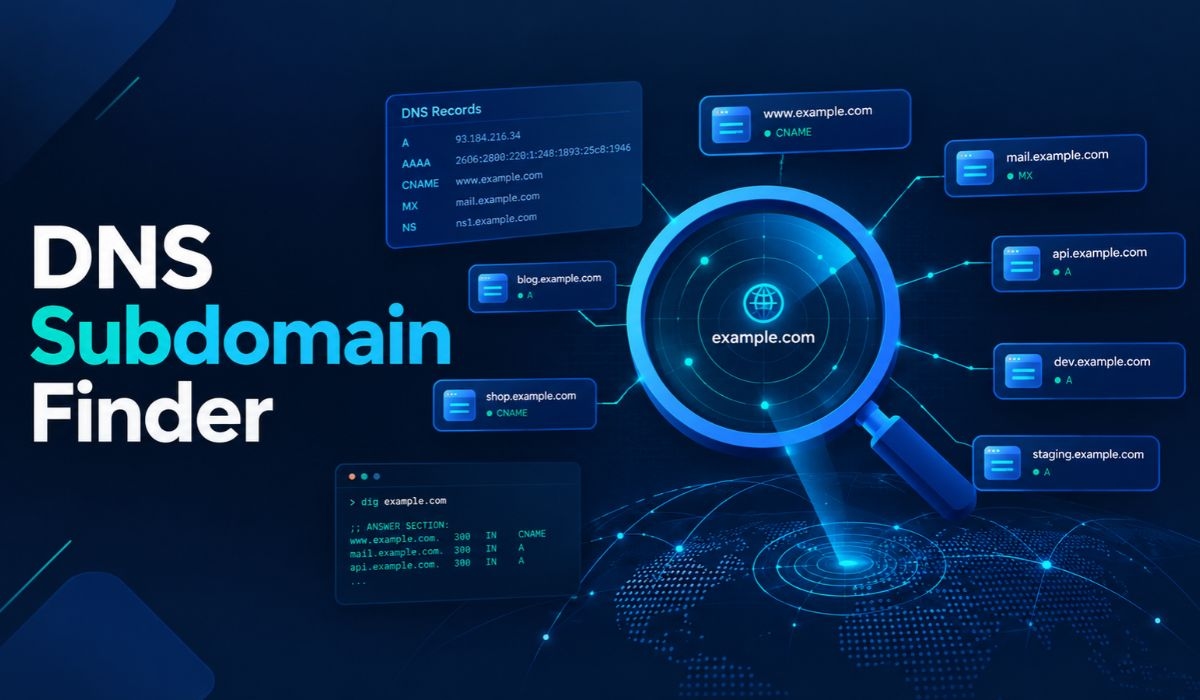
The guide is written for MSSPs, MDR providers, penetration testers, bug bounty hunters and IT and security teams. It focuses on the DNS side of the problem: which records matter, what to run, how to verify results and how to keep the list current.
What Is a DNS Subdomain Finder?
A DNS subdomain finder is a tool that discovers the subdomains of a parent domain by using public DNS records, certificate logs and naming patterns.Think of it as an outside-in inventory. It does not ask your internal teams what they run. It shows what the public internet can already see. That perspective is valuable because attackers work from the same public view.
The tool goes by several names: subdomain lookup, subdomain checker, subdomain search tool, subdomain discovery tool and DNS enumeration tool. Behind the different labels, the task is the same. Turn one domain into a list of hostnames you can review.A subdomain is not a separate domain you buy. It is a label placed in front of a domain you already own and it can point anywhere: your own servers, a cloud platform, a marketing tool, or a vendor's service. That flexibility is why subdomains multiply so easily.
How a DNS Subdomain Finder Works
A DNS subdomain finder works by collecting hostnames from several places at once and merging them. The main sources are public DNS records, certificate transparency logs, open web sources and tested name guesses. Combining them matters because each source has blind spots that another one covers.
Reading Public DNS Records
DNS stores data in records and several record types reveal hostnames.
A and AAAA records map a hostname to an IPv4 or IPv6 address.
CNAME records point one hostname at another, often at an external service.
MX records show mail servers.
NS records identify the name servers responsible for a zone.
TXT records often hold verification strings and email policies that hint at which services a domain uses.
A dns subdomain finder looks at these records to find hostnames and to describe what each one does. A CNAME pointing at a third-party platform tells you something very different from an A record pointing at your own server.
Searching Certificate Logs
Every publicly trusted TLS certificate lists the hostnames it covers. Because those certificates are logged publicly, searching the logs for a domain returns many of its subdomains. The Chrome documentation on certificate transparency explains that CT, described in RFC 6962, provides a public append-only record of certificates issued by certificate authorities.
Testing Naming Patterns
Teams reuse names. Labels such as dev, test, staging, vpn, api and mail appear across thousands of organizations. A finder that checks known patterns against DNS can discover hosts that no certificate or search engine has recorded.
Handling Wildcard DNS
Some domains answer for any name you ask about. If a tool does not recognize that, it will report endless fake subdomains. Good finders test for wildcard behavior first and discard answers that match it.
Step-by-Step: How to Find Subdomains of a Domain
To find subdomains of a domain, get permission, run a passive scan, check certificate logs, test key DNS records yourself, verify what resolves and compare the result with your expected list. The steps below use placeholder names, so replace example.com with a domain you are authorized to assess.
Step 1: Get Written Permission
Passive lookups use public data, but authorization still comes first. The Mispar tool page says it plainly: always get authorization before scanning infrastructure you do not manage. Write the scope down, including which domains are in and out.
Step 2: Start With a Quick Online Scan
For a fast first pass, enter the root domain into a free online dns subdomain finder. According to its tool page, it checks public DNS records, certificate logs and known naming patterns, needs no signup and does not touch the target server directly. Save the output with the date so you can compare it later.
Step 3: Check the Name Servers
Find out who answers for the domain. A standard lookup does it:
dig NS example.com+short
The result tells you which name servers hold the zone. This matters later when you test for misconfigurations and takeover exposure.
Step 4: Look at Key Hostnames Individually
Pick any hostname from the scan and check its records:
dig CNAME staging.example.com +short
dig A staging.example.com +short
If a hostname returns a CNAME to an external service, note the service. If it returns nothing, note that too. A hostname that exists in records but resolves to nothing can be a sign of a stale entry.
Step 5: Test Zone Transfer Settings on Your Own Domains
A zone transfer, or AXFR, is a standard DNS mechanism for copying a zone between authoritative servers. RFC 5936 documents it. On domains you manage, you can confirm your servers refuse transfers from unknown hosts:
dig AXFR example.com @ns1.example.com
A properly configured server should deny the request. If one answers, it hands over the full list of records to anyone who asks, so fix it immediately. Only run this against servers you administer or are authorized to test.
Step 6: Verify Each Hostname
For every name on the list, record whether it resolves, what it resolves to and whether it serves a web page. Names that appear in certificate logs but no longer resolve are still worth a note, because they show where a service used to run.
Step 7: Compare Against Your Inventory
Mark each hostname as known, unknown, or retired. Unknown entries need an owner. Retired entries need their DNS records deleted. This is where discovery turns into actual risk reduction.
Why Security Teams and MSSPs Need a DNS Subdomain Finder
Security teams need a dns subdomain finder because unknown hosts cannot be patched, monitored, or defended. Each unlisted hostname expands the attack surface and shadow IT creates hostnames that never pass through a security review.
Different roles use the output in different ways.
MSSPs and MDR providers use it at onboarding to build a quick outside-in asset picture for a new client.
Penetration testers use it for subdomain reconnaissance at the start of an external engagement.
Bug bounty hunters use it to find forgotten hosts that receive less attention than a main site.
IT teams use it to catch hostnames created by marketing, sales, or agencies without their knowledge.
Compliance and risk teams use the list as evidence when reviewing external exposure.
For service providers there is a commercial side. A clean list of unfamiliar hostnames tied to a prospect's domain is a concrete, non-technical way to start a conversation about continuous monitoring.
What Different DNS Records Tell You About a Subdomain
The record type behind a subdomain shows what it points at and how risky it might be. Reading the records correctly is the difference between a list of names and a usable risk picture.
A and AAAA Records
These point to IP addresses. If the address belongs to your own infrastructure, the host should be on your patching and monitoring lists. If it belongs to a hosting provider, find out who rents that server.
CNAME Records
A CNAME is the record to watch most closely. It forwards the hostname to another name, often one controlled by a third party. If the third party's resource is later deleted but your CNAME stays, you have a dangling record. Dangling CNAMEs are the classic starting point for subdomain takeover.
NS Records on Subdomains
When a subdomain has its own NS records, its DNS is delegated to other servers. If those servers or the domain behind them lapse, the delegation can be claimed by someone else.
MX and TXT Records
MX records on a subdomain suggest it handles email. TXT records often include verification tokens for third-party services. Old tokens can show you which vendors have been connected over time, which is useful when you are mapping shadow IT.
Subdomain Takeover: The Risk Hiding in Old DNS Entries
A subdomain takeover occurs when a DNS record points to an external resource that nobody controls anymore and an attacker claims that resource. The attacker then serves content under your subdomain. OWASP describes the conditions in its Web Security Testing Guide under WSTG-CONF-10.
According to OWASP, the attack relies on the hosting provider not handling subdomain ownership verification properly. OWASP also lists the possible outcomes: serving malicious content, phishing and stealing session cookies or credentials. It rates the NS record variant as having the highest impact, because it could mean control over the whole DNS zone.
OWASP breaks testing into three phases: subdomain enumeration, automated fingerprint-based detection and manual validation. Enumeration is the first phase and the one a dns subdomain finder handles. OWASP's mitigation advice is direct. Remove the vulnerable DNS records from the zone.
A simple habit prevents most of this. Whenever a team cancels a service, delete its DNS records in the same change ticket.
What to Look for in a DNS Subdomain Finder
The best dns subdomain finder uses more than one source, handles wildcard DNS, is honest about limits and is easy to run. Use this checklist when you compare options.
Source variety. Public DNS, certificate logs and naming patterns together give better coverage than any one alone.
Passive operation. A tool that does not touch the target directly is safer for first-pass work.
Wildcard filtering. This keeps false results out of the list.
Resolution data. Seeing what a name resolves saves time.
Repeatability. You should be able to run the same check next month and compare.
Honest limits. No tool finds every subdomain. The Mispar tool page says so directly and calls its results a starting point, not a full attack surface audit.
Easy access. A browser-based tool with no signup removes friction for quick checks.
Manual Commands vs. Online Scanner vs. Framework vs. Platform
You can find subdomains manually with DNS commands, with a free online scanner, with an open-source framework, or with a commercial platform. The right choice depends on how many domains you manage and how often you need results.
Method | Setup Effort | Coverage | Repeatability | Best For |
Manual DNS commands (dig) | Low | Narrow, one name at a time | Low unless scripted | Verifying individual hosts and record types |
Free online scanner | None | Public DNS, certificate logs, naming patterns | Medium, by re-running | Fast first checks and client demos |
Open-source framework (Amass, Subfinder, Sublist3r) | Medium | Broad, with multiple sources | High when scripted | Pentesters and recon workflows |
Commercial attack surface platform | Medium to high | Broad, often with history and alerts | High, often scheduled | Teams managing many domains continuously |
Manual commands give you precision but no scale. Scanners give you scale with little effort. Frameworks give you control and automation. Platforms add alerts and history. Most mature teams use more than one layer, with a quick scanner for first looks and a scripted tool for scheduled work.
Free vs. Paid: How to Decide
Free tools are enough for one-off checks, learning and first-pass reviews. Paid tools make sense when you track many domains, need alerts for new hostnames, or want history over time. I am leaving prices out on purpose, because they change and vary by plan. Check each vendor's current page.
A practical rule is to start free. Run a scan, see how many unfamiliar hostnames appear and judge from that whether the problem is large enough to automate. If a single scan surfaces a dozen names nobody can explain, a recurring process is justified.
Build a Monthly Subdomain Review Routine
A monthly review turns one-time discovery into ongoing control. The Mispar tool page notes that new subdomains appear whenever a team launches a campaign page or a test environment and that many teams check monthly or after any major launch. That rhythm is a sensible default.
Here is a simple routine you can adopt.
Run the scan on each in-scope domain and save the dated output.
Compare it with last month's list and mark every new hostname.
Assign an owner to each new name within one week.
Check the DNS records of each new name for CNAMEs to external services.
Delete records for anything that has been retired.
Re-scan after any major product launch, migration, or acquisition.
For MSSPs, add one more step. Share a short summary of changes with the client. A one-page note listing new, retired and unexplained hostnames is easy to read and shows ongoing value.
Common Mistakes That Weaken Subdomain Discovery
The biggest mistakes are relying on a single source, trusting results without verification and treating discovery as a one-time event. Avoid these and your results will be far more useful.
Using one source. Certificate logs miss hosts that use private certificate authorities. Wordlists miss unusual names.
Skipping verification. A name in a log may no longer exist and a live host may never have been logged.
Ignoring wildcard DNS. It can flood a result with false entries.
Forgetting authorization. Active testing of systems you do not manage creates legal and operational risk.
Scanning once. A single scan is a snapshot and the zone keeps changing.
Not cleaning up. Finding old records is only half the job. Removing them is what lowers risk.
Interesting Facts About DNS and Subdomain Discovery
These verified points add context for anyone building a discovery process.
AXFR, the DNS zone transfer mechanism, is documented in RFC 5936, published in June 2010. It builds on definitions from RFC 1034 and RFC 1035, according to the RFC Editor.
RFC 5936 has since been updated by RFC 9103, which covers DNS zone transfer over TLS, per the RFC Editor's record.
OWASP's testing guide describes three phases for subdomain takeover testing: enumeration, automated fingerprint-based detection and manual validation.
OWASP notes that subdomain takeover depends on a provider failing to verify subdomain ownership properly.
OWASP says an NS record takeover has the highest impact among takeover types because it could expose the entire DNS zone.
The Mispar subdomain scanner page states that no tool finds every subdomain and that results from public sources should be treated as a starting point.
Who Should Own Subdomain Discovery Inside a Team?
Subdomain discovery works best when one person or group owns it, even if many people contribute. Without a clear owner, scans get run once, the results sit in a folder and nothing changes in DNS.
In smaller companies, the IT lead or the security analyst usually takes it on. In larger ones, it often sits with the team that manages DNS, with the security team reviewing the output. For an MSSP, the account owner or onboarding engineer can run the first scan and the monitoring team can take over the recurring checks.
Whoever owns it should have three things: authority to ask other teams about unknown hostnames, access to change or delete DNS records and a fixed review date on the calendar. That combination is what moves a list of names toward a shorter, safer list.
Conclusion
A dns subdomain finder gives you the one thing every other control depends on: an honest list of what your domain exposes. Used well, it surfaces forgotten staging servers, unowned marketing pages and dangling DNS records before anyone else finds them.The process is simple. Run a passive scan, read the DNS records behind each name, verify what actually resolves, assign owners, delete what is retired and repeat on a schedule. No subdomain finder catches everything, so treat each result as a starting point and pair it with good housekeeping.If you deliver security services and want to turn outside-in findings into ongoing protection for your clients, explore Mispar, a platform designed for MSSPs.
Frequently Asked Questions (FAQs)
What is a DNS subdomain finder?
A DNS subdomain finder is a tool that lists the subdomains of a domain using public DNS records, certificate logs and known naming patterns. It gives you an outside-in view of the hostnames tied to a domain, such as staging, test and marketing hosts.
How do I find all subdomains of a domain?
Enter the domain into a dns subdomain finder, cross-check certificate logs and verify each hostname with DNS lookups. Add wordlist-based tools if you are authorized. No method finds every subdomain, so use the combined list as a starting point.
Does a subdomain finder touch the target server?
It depends on the tool. Passive tools use public data and do not contact the target. The Mispar scanner page states that discovery uses public DNS records only and does not touch the target server directly. Active tools that send queries or probes do generate traffic.
Can I use a subdomain finder on a domain I do not own?
Passive lookups use public information, but you should always get authorization before scanning infrastructure you do not manage. Active enumeration against systems you do not own can cause legal and operational trouble, so get written permission first.
How often should I check for new subdomains?
Check regularly, since new subdomains appear whenever a team launches a campaign page or test environment. Many teams run a check monthly and again after any major launch or migration.
Why do forgotten subdomains matter for security?
Forgotten subdomains can run outdated software, host login pages, or point to services nobody manages. Attackers look for them because they are less likely to be patched or monitored and dangling DNS records can lead to subdomain takeover.