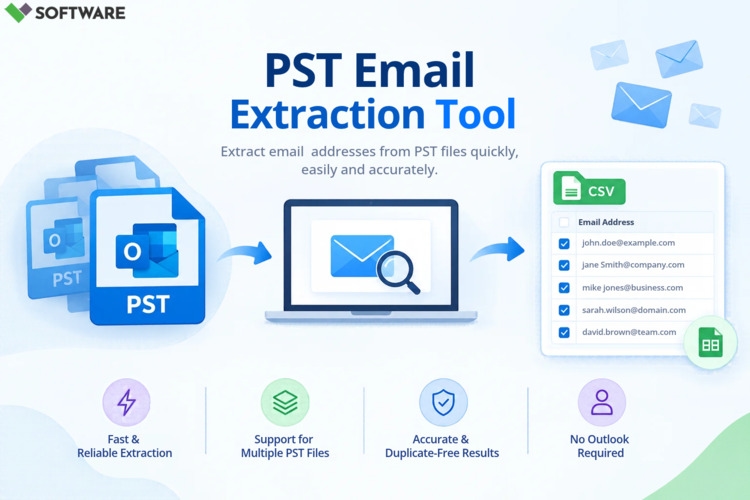
Email is one of the most valuable business communication assets, containing critical information related to customers, employees, projects, and transactions. Microsoft Outlook stores this information in PST (Personal Storage Table) files, which often grow into large repositories of emails, contacts, attachments, calendars, and other mailbox data. As organizations handle increasing volumes of archived email data, the need for efficient Outlook PST Email Extraction solutions becomes more important than ever.
Whether you're preparing for an email migration, conducting a compliance audit, collecting customer contacts, recovering important messages, or managing email archives, selecting the right PST email extraction software can significantly improve efficiency and accuracy. This guide explores Outlook PST email extraction, its benefits, key challenges, essential software features, and factors to consider when choosing the best solution.
What Is Outlook PST Email Extraction?
Outlook PST Email Extraction refers to the process of retrieving specific information from Outlook PST files. Rather than manually opening mailbox folders and searching through thousands of emails, extraction software automatically scans PST files and exports selected data.
Users can extract:
Email messages
Attachments
Email addresses
Contacts
Calendar events
Tasks
Notes
Entire mailbox folders
This process helps organizations access and utilize valuable email data without spending hours manually sorting through archives.
Understanding PST Files
A PST file is Microsoft's proprietary storage format used by Outlook to save mailbox data locally. These files are commonly used for:
Email archiving
Mailbox backups
Long-term data storage
Personal mailbox management
As businesses continue using Outlook over time, PST files can become extremely large and contain years of communication records. While this makes PST files valuable information repositories, it also creates challenges when users need to locate specific data quickly.
Why Businesses Need PST Email Extraction Software
Many organizations rely on PST extraction tools to simplify mailbox management and improve access to archived information.
Email Migration Projects
When moving from one email platform to another, businesses often need to extract mailbox content from PST files for import into the new environment.
Compliance and Legal Requirements
Many industries must retain email records for regulatory purposes. Extraction software helps locate and retrieve specific communications efficiently.
Data Recovery
Important emails may need to be recovered from archived or inaccessible PST files, especially when Outlook profiles become damaged or unavailable.
Contact Management
Organizations frequently extract customer and partner email addresses from PST archives for CRM updates and business communication.
Business Intelligence
Historical email data can provide valuable insights into customer interactions, project communications, and operational processes.
Challenges of Manual PST Email Extraction
Although Outlook provides basic access to PST files, manual extraction can create several difficulties.
Large Volumes of Data
Organizations often maintain PST files containing thousands or even millions of emails. Searching manually can consume significant time.
Multiple PST Files
Managing numerous archive files increases complexity and makes locating information more challenging.
Duplicate Content
Repeated exports, imports, and mailbox consolidations can create duplicate records that require identification and removal.
Risk of Human Error
Manual extraction methods increase the possibility of overlooking important emails or exporting incomplete data.
Outlook Dependency
Traditional access methods often require Outlook installation and functional mailbox profiles.
Because of these limitations, many businesses prefer specialized PST extraction software.
Key Features to Look for in Outlook PST Email Extraction Software
Choosing the right software starts with understanding the features that contribute to efficient and accurate extraction.
Comprehensive Email Extraction
The software should extract complete mailbox content, including:
Email messages
Attachments
Embedded images
Metadata
Folder structures
Maintaining data integrity throughout the extraction process is essential.
Advanced Search and Filtering
A high-quality tool should allow filtering by:
Date range
Sender
Recipient
Subject line
Attachment status
Keywords
These options make it easier to find specific information without processing the entire mailbox.
Batch PST Processing
Organizations often manage multiple PST files. Batch processing allows users to extract data from numerous archives simultaneously, saving considerable time.
Large PST File Support
Modern PST files can exceed several gigabytes in size. The software should be capable of handling large mailbox archives without performance issues.
Attachment Extraction
Many users need attachments separately from emails. Look for tools that offer dedicated attachment extraction and export options.
Preview Functionality
A preview feature allows users to review mailbox content before extraction, reducing the risk of exporting incorrect information.
Multiple Export Formats
The best extraction software supports various output formats, including:
PST
PDF
EML
MSG
HTML
CSV
Multiple export options improve compatibility with other applications and workflows.
Evaluating Software Performance
Beyond features, performance is a critical consideration.
Processing Speed
Fast scanning and extraction capabilities become increasingly important when handling large email archives.
Accuracy
Software should preserve:
Email formatting
Attachments
Folder hierarchy
Header information
Metadata
Accurate extraction helps maintain the integrity of business records.
System Stability
The solution should operate reliably even when processing large volumes of mailbox data.
User Experience
An intuitive interface reduces training requirements and helps users complete extraction tasks more efficiently.
Security Considerations
Email archives often contain sensitive business information. Security should therefore be a major factor when selecting a PST extraction tool.
Data Integrity Protection
The software should access mailbox content in a read-only manner without modifying the original PST file.
Secure Data Handling
Extracted information should remain protected throughout the extraction process.
Compliance Support
Organizations operating in regulated industries may require extraction tools that support compliance initiatives and audit workflows.
Access Controls
Some enterprise-level solutions provide user permissions and administrative controls for enhanced security management.
Common Use Cases for Outlook PST Email Extraction
Email Migration
IT departments frequently use PST extraction tools when migrating users to new email platforms or cloud environments.
eDiscovery
Legal teams extract emails and attachments relevant to litigation and investigations.
Audit Preparation
Compliance officers review archived communications to meet regulatory requirements.
Customer Relationship Management
Businesses extract contact details from historical communications to enhance CRM databases.
Archive Management
Organizations use extraction software to organize and manage growing PST archives more efficiently.
Benefits of Choosing the Right Software
Selecting the appropriate PST extraction solution delivers several advantages.
Increased Productivity
Automated extraction reduces the time required to locate and retrieve mailbox information.
Better Accuracy
Advanced scanning algorithms minimize human error and ensure more complete results.
Simplified Data Access
Users gain quick access to archived communications without manually opening Outlook folders.
Reduced Administrative Burden
IT teams can complete migrations, audits, and recovery projects more efficiently.
Improved Data Organization
Extracted data can be categorized, exported, and integrated into business systems for future use.
Best Practices Before Extracting PST Data
To maximize success, consider the following recommendations:
Create Backup Copies
Always retain an untouched copy of the original PST file before extraction.
Define Extraction Goals
Determine whether you need emails, attachments, contacts, calendar items, or specific mailbox folders.
Use Filtering Options
Applying filters improves processing efficiency and helps retrieve only relevant information.
Verify Results
Review extracted data to confirm accuracy and completeness.
Secure Exported Files
Store exported data in secure locations and limit access to authorized personnel.
Conclusion
As email archives continue to expand, effective Outlook PST Email Extraction becomes essential for organizations seeking quick, accurate, and secure access to mailbox data. While manual extraction methods may work for small mailboxes, dedicated PST extraction software offers a far more efficient solution for handling large archives, migration projects, legal investigations, compliance reviews, and data recovery tasks.
When choosing software, prioritize features such as batch processing, advanced filtering, attachment extraction, large PST support, export flexibility, security, and data accuracy. By selecting the right solution, businesses can streamline email management, reduce operational complexity, and ensure that valuable Outlook data remains accessible whenever it is needed.